

Usage steps
-
Call Me disabled: check the missing-number message, Telephony sync and the agent number assignment.
-
Voice unavailable: confirm the selected integration contains that voice, or choose an available voice and save the agent.
-
Agent gives an unsupported answer: check the attached knowledge, prompt scope and any Instant Answer that matches the question.
-
Tool does not run: confirm it is attached, configured and described in the prompt. Check the integration and endpoint response using controlled inputs.
-
Campaign does not call: check recipients, status, start time, expiry, business hours, holidays, number setup, capacity and credits.
-
Result seems wrong: confirm the date range and filters, then inspect the underlying transcript, recording and analysis configuration.
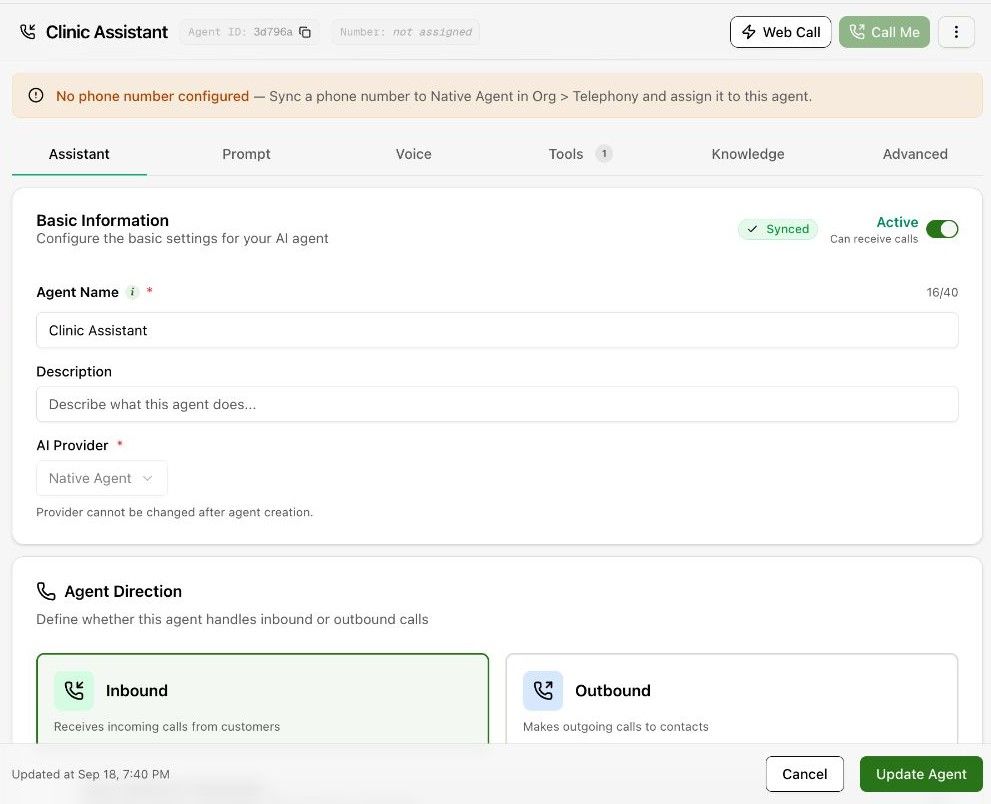
Expected result. You have narrowed the problem to a specific configuration or record.
Practical notes and troubleshooting. For support, collect the workspace, agent or call ID, time, expected behaviour, observed behaviour and a reproducible example. Keep credentials out of the report.