

Usage steps
-
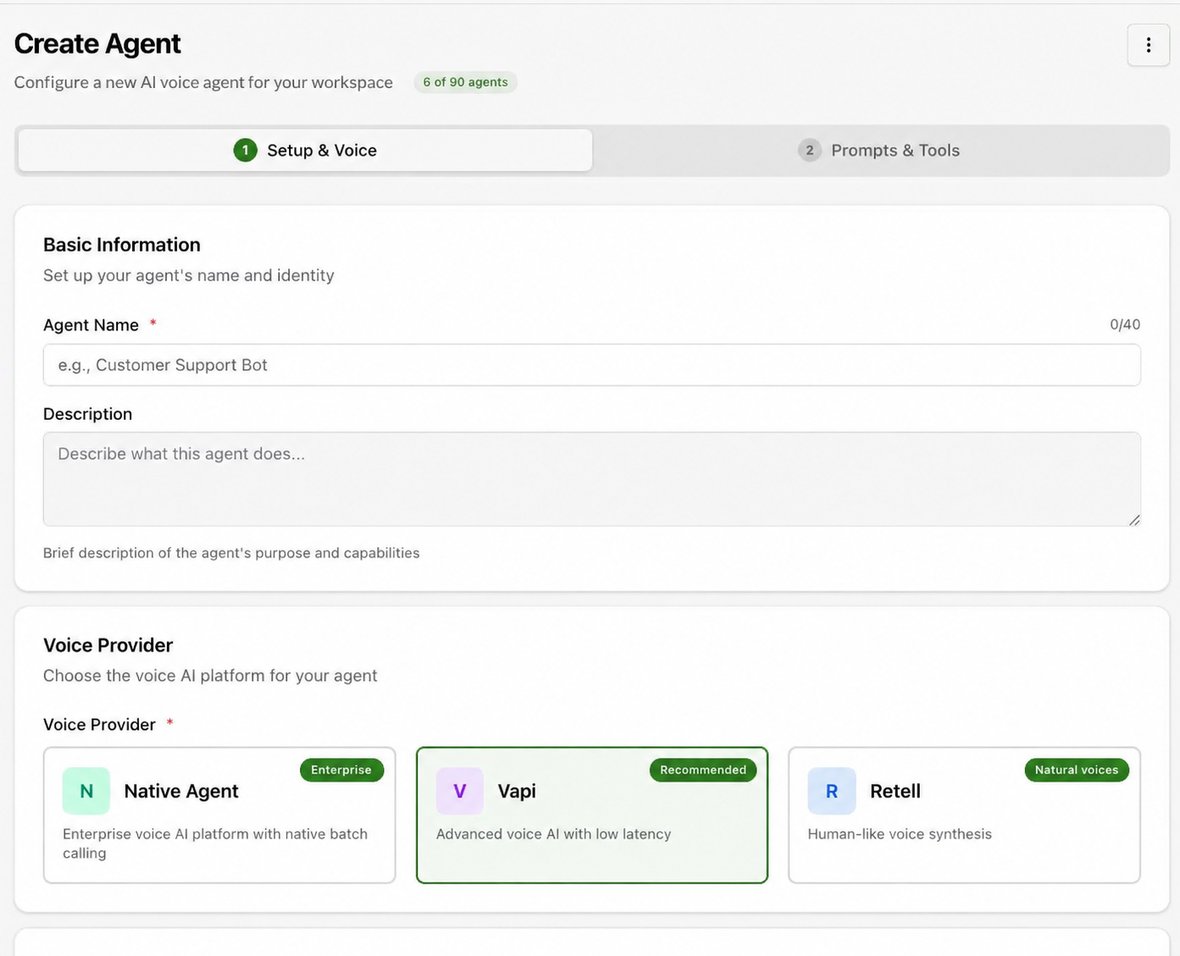
Select Create Agent at the bottom of the agent list. Enter an Agent Name of up to 40 characters and an optional Description.
-
Select the platform provider shown in the form: Native Agent, Vapi or Retell. Choose Inbound to receive calls or Outbound to make them. See Create an agent and choose a provider for the separate setup path for each.
-
If an inbound agent should also participate in campaigns, review Allow Outbound Campaigns. Choose the language model and a compatible voice.
-
Select the relevant provider integration where the form offers a key selector. You can attach knowledge and an available phone number during setup or configure them later.
-
Select Continue to move from Setup & Voice to Prompts & Tools. Complete the required prompt and tool configuration, review the form and submit the creation action.
-
Open the resulting agent and confirm its configuration and provider sync status before testing.
Expected result. The new agent appears in the agent list.
Practical notes and troubleshooting. The existing-agent editor states that the provider cannot be changed after creation. Choose it deliberately.