

Usage steps
-
For Cal.com, review an existing connection or select Add another key. Give the connection an identifiable name.
-
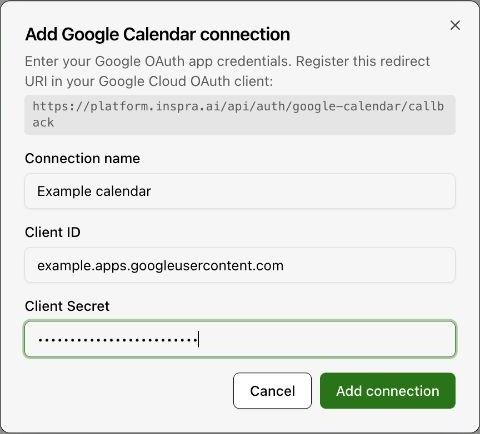
For Google Calendar, select Add connection. Enter Connection name, Client ID and Client Secret for the intended OAuth application.
-
Register the redirect URI displayed in the form in the Google Cloud OAuth client. Complete the account authorisation requested by the platform.
-
Return to the agent Tools tab and configure its supported availability and appointment tools. Choose the calendar or event details offered for that provider.
-
Test availability lookup and a controlled booking. Confirm the timezone and verify the appointment in the calendar.
Expected result. The calendar connection and booking tools use the intended account.
Practical notes and troubleshooting. Calendar tools vary by agent provider. A Native Agent lists Cal.com availability and booking tools.