

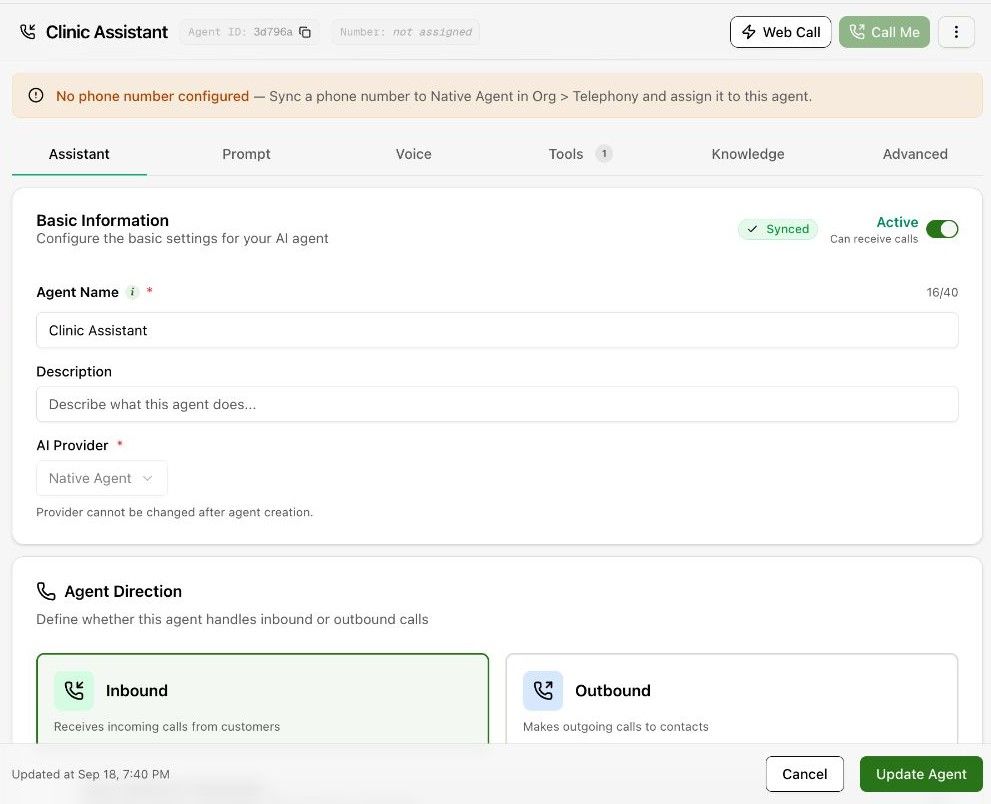
The agent list
The left column lists voice agents with their direction (Inbound or Outbound), provider, and a Synced mark once the latest change has reached the voice provider. The counter shows how many agents your plan allows. Turn on Show archived to see archived agents; use the row menu to duplicate an agent.
The tabs
| Tab | What it holds |
|---|---|
| Assistant | Name, description, AI provider (fixed after creation), the Active switch, direction and Caller ID. |
| Prompt | Who speaks first, the first message, whether the caller can interrupt it, and the system prompt. Write the prompt. |
| Voice | Voice provider and voice, TTS model, pitch and speed, pronunciations, speech-to-text and the language model. Voice, speech and language model. |
| Tools | Built-in and custom function tools, system variables and your own custom variables. Tools. |
| Knowledge | Which knowledge documents the agent may use, instant answers, and the call-data webhook. Knowledge base. |
| Advanced | Phone call-screen handling, the disposition set, post-call extraction fields and scorecards. Analysis and structured output. |
Test and save
Web Call and Call Me sit at the top right of every tab. Press Update Agent to save; Cancel discards unsaved edits. New calls use the saved version.
The Active switch on the Assistant tab stops an agent making or taking calls without deleting it.