

Usage steps
-
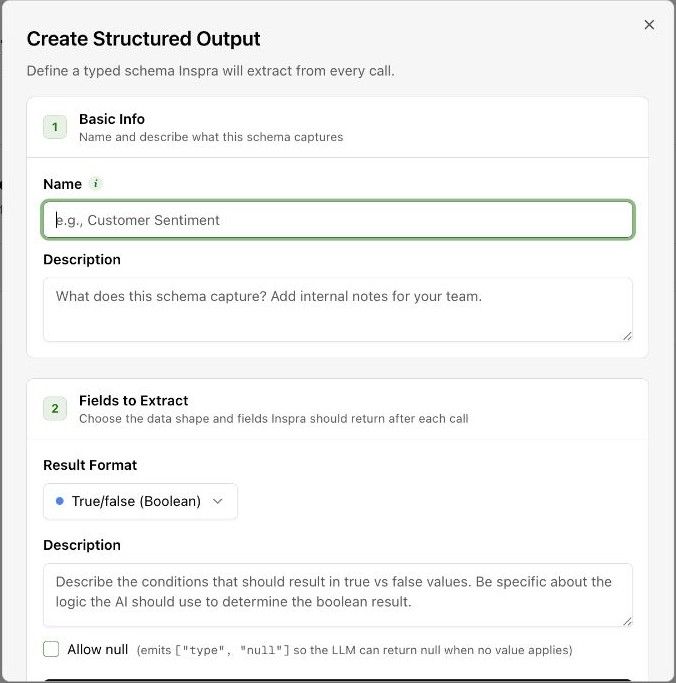
Enter a Name and an internal Description for the schema.
-
Choose the Result Format. The interface supports typed results such as Boolean values, numbers, lists and objects.
-
Write the extraction description and configure the requested fields for that format. Define the conditions precisely.
-
Review Allow null when no value may apply. Check Example output to understand the shape of the result.
-
Select the Agents that should run this extraction and select Create. You can also attach schemas from an agent Advanced tab.
-
Check a completed call to verify that the returned value has the intended meaning and type.
Expected result. Selected agents can extract the defined data after their calls.
Practical notes and troubleshooting. Example Boolean: appointment_confirmed is true only when the caller and agent confirm a specific appointment, false when clearly declined, and null when the conversation does not establish either outcome.