

Usage steps
-
Enter a readable Label and a machine-friendly Name, such as check_order_status. Add an Event Key if your routing uses one.
-
Write the Function Prompt to explain exactly when the agent should call the function and what information it needs first.
-
Choose the HTTP Method and enter the API Endpoint. Add the required Headers using the controls in the form.
-
Provide the Open AI Schema and Post Body expected by the endpoint. Configure Response Formatting so the returned information is useful to the agent.
-
Choose the Call Outcome classification, review the form and select Add. Save the agent with Update Agent.
-
Test with a controlled record. Confirm the request, response and spoken answer, including the behaviour when no result is available.
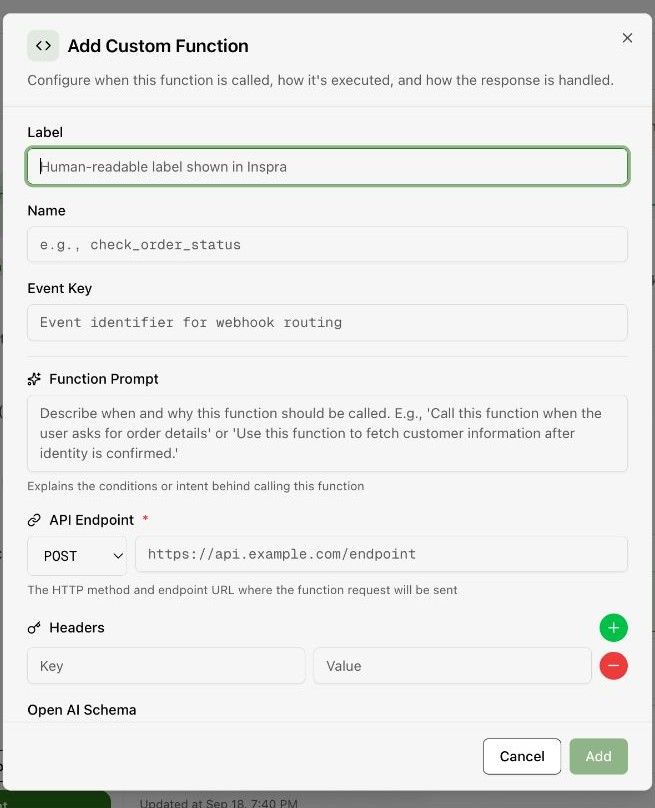
Expected result. The function is attached to the agent and can be used in the intended conversation.
Practical notes and troubleshooting. Keep credentials in the appropriate integration or header field. Do not put secrets into the spoken prompt or example text.