

Usage steps
-
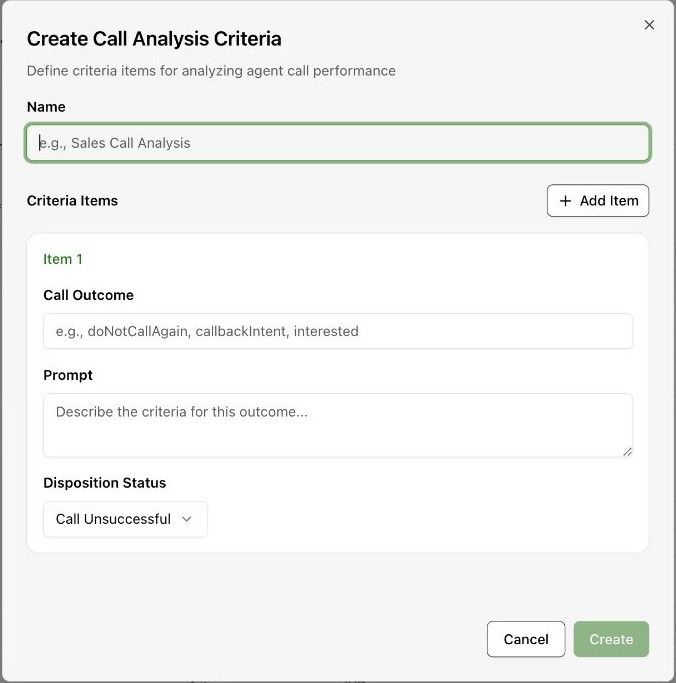
Select Create and enter a Name for the criteria set.
-
For each item, enter the Call Outcome identifier and a Prompt that describes the evidence required for that outcome.
-
Choose the Disposition Status that groups the outcome. Use Add Item when the set needs another outcome rule.
-
Select Create after reviewing the items. Open the intended agent Advanced tab and select the criteria set.
-
Save the agent and review completed calls to check whether the criteria distinguish the intended outcomes.
Expected result. The criteria set is available for use by agents.
Practical notes and troubleshooting. Example rule: classify a callback request only when the caller explicitly asks to be contacted again. Avoid inferring intent from a vague response.
Related next steps
Create structured output schemasStructured Output turns a conversation into typed data that can be reviewed or used by another system. A Boolean can record whether something happened; richer formats can return several fields.Request and review a disposition correctionA disposition correction records a proposed change to a call outcome. The review page lets authorised reviewers approve or reject those corrections.