

Usage steps
-
Choose an available voice source. For a Native Agent, the editor offers ElevenLabs and Native audio.
-
Select the connected integration where required. Choose a voice and a compatible TTS model, then review the voice Advanced options if needed.
-
In Speech-to-Text, choose the STT Provider and model, then set the primary Language.
-
Add brand names, product names or specialist terms to Key Terms. Press Enter or a comma to add a term.
-
Choose the language-model provider and model. Save with Update Agent and test pronunciation, turn-taking and recognition.
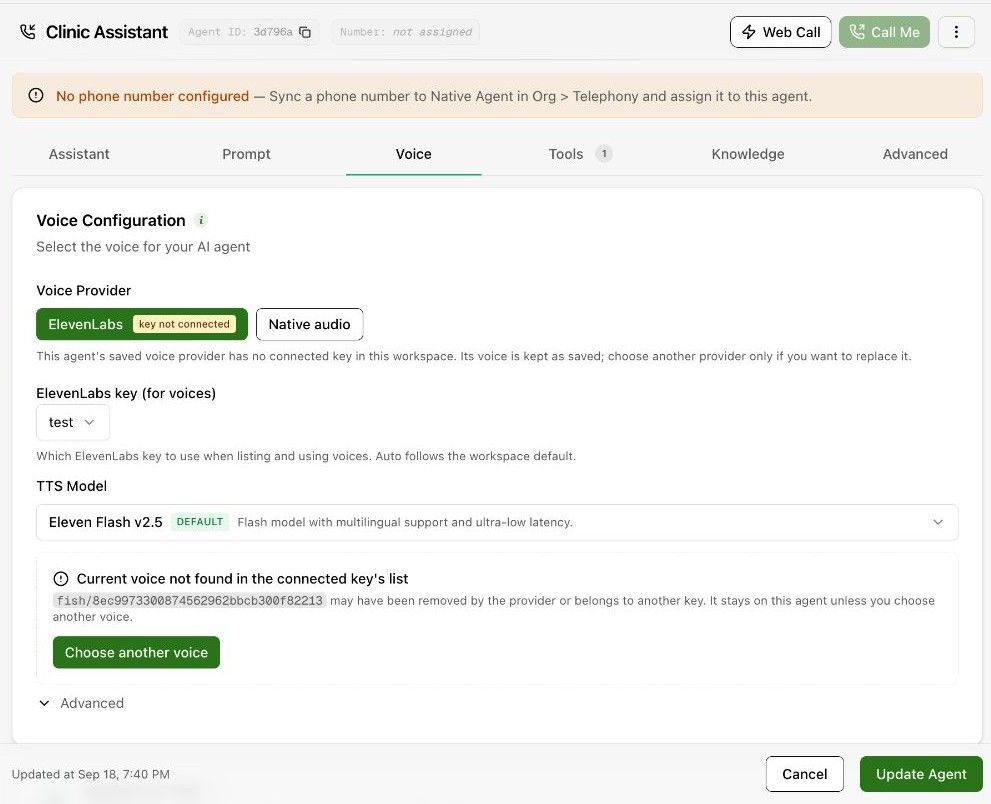
Expected result. The agent speaks with the selected voice and transcribes the intended language.
Practical notes and troubleshooting. If the current voice is not found in the connected key, check the integration or choose another available voice. Provider and model choices vary.