

Usage steps
-
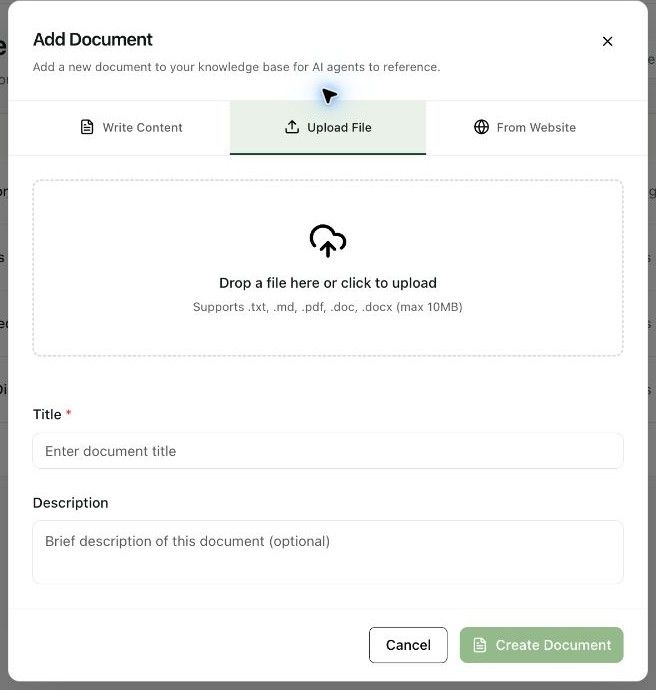
Select Add Document and switch to Upload File.
-
Drop the file into the upload area or select Choose a document file. The interface lists .txt, .md, .pdf, .doc and .docx as supported formats.
-
Enter or review the Title and optional Description. Check that you chose the intended version of the file.
-
Select Create Document after the file is ready and the required fields are complete.
-
Attach the document in the agent Knowledge tab, save the agent and test questions that rely on the uploaded information.
Expected result. The uploaded document is available to the selected agent.
Practical notes and troubleshooting. When replacing information, check which agents use it and test answers after the update.
Related next steps
Attach knowledge and add instant answersThe Knowledge tab connects workspace documents to a particular agent. Instant Answers provide approved responses that the agent can speak word for word for frequently asked questions.Import knowledge from a websiteFrom Website reads a page and fills the knowledge document fields. You review the extracted material before creating the document.