

Usage steps
-
Open Tools and review Selected Tools. Search the Built-in Tools list for the action you need.
-
Open the required tool and complete its configuration. Use the fields shown for your provider rather than assuming all providers have the same options.
-
For booking, configure availability checking and appointment booking together. Confirm the intended calendar and appointment details.
-
Add prompt instructions that state when the agent should use each tool, what information it must collect, and what to do if the action fails.
-
Select Update Agent. Test the successful path and a failure or handover path before using the tool in a live campaign.
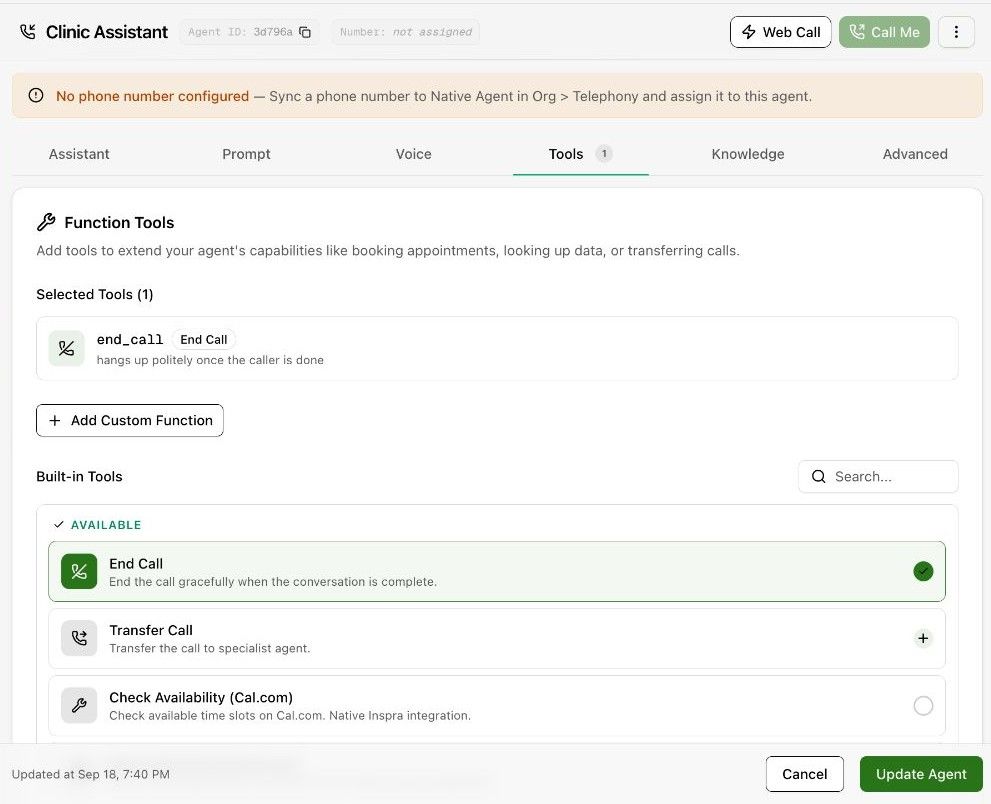
Expected result. The agent has the intended tools and instructions for using them.
Practical notes and troubleshooting. Writing a tool name in the prompt does not by itself attach or configure that tool.