

Usage steps
-
Open the agent Knowledge tab and find CRM / Webhook URL.
-
Select Add Webhook and enter the receiving URL. Confirm that it belongs to the intended environment and recipient system.
-
Review the example payload shown in the interface. It includes call details such as transcript, summary, duration, cost, sentiment and recording URL.
-
Save with Update Agent. Complete a controlled test call and check the receiving system for the event.
-
Check how your receiving workflow handles missing fields and duplicate deliveries before relying on it for follow-up actions.
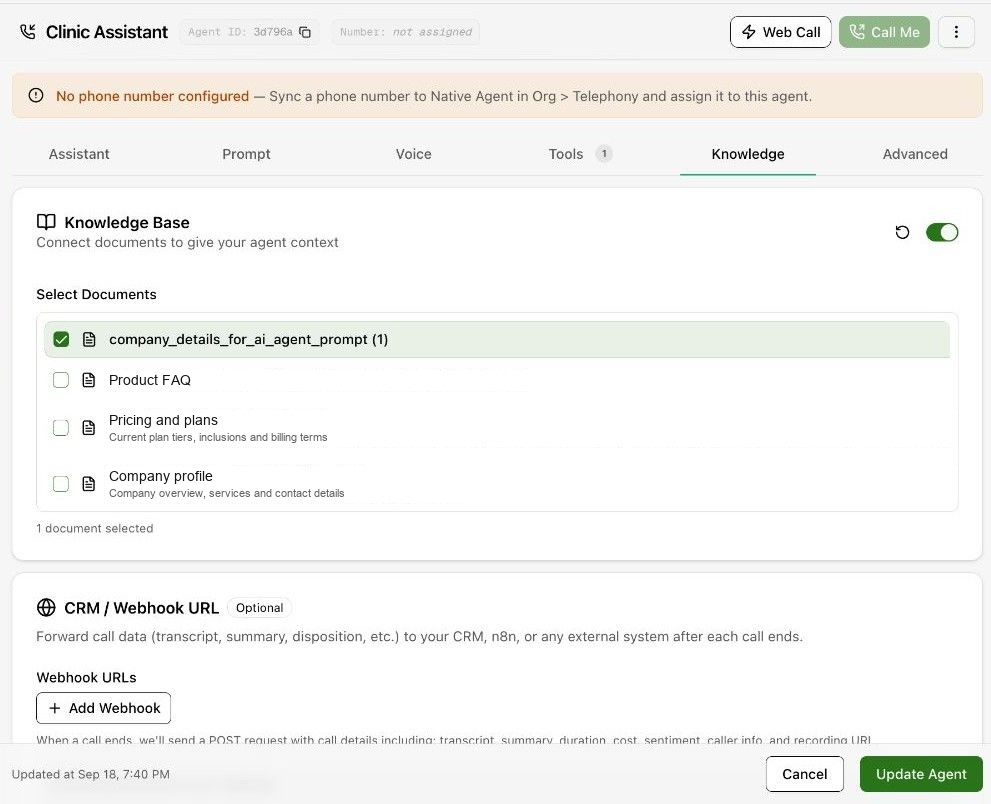
Expected result. The external system receives the expected completed-call data.
Practical notes and troubleshooting. The example payload is illustrative. Verify the actual payload your integration receives instead of treating the example as a complete API contract.