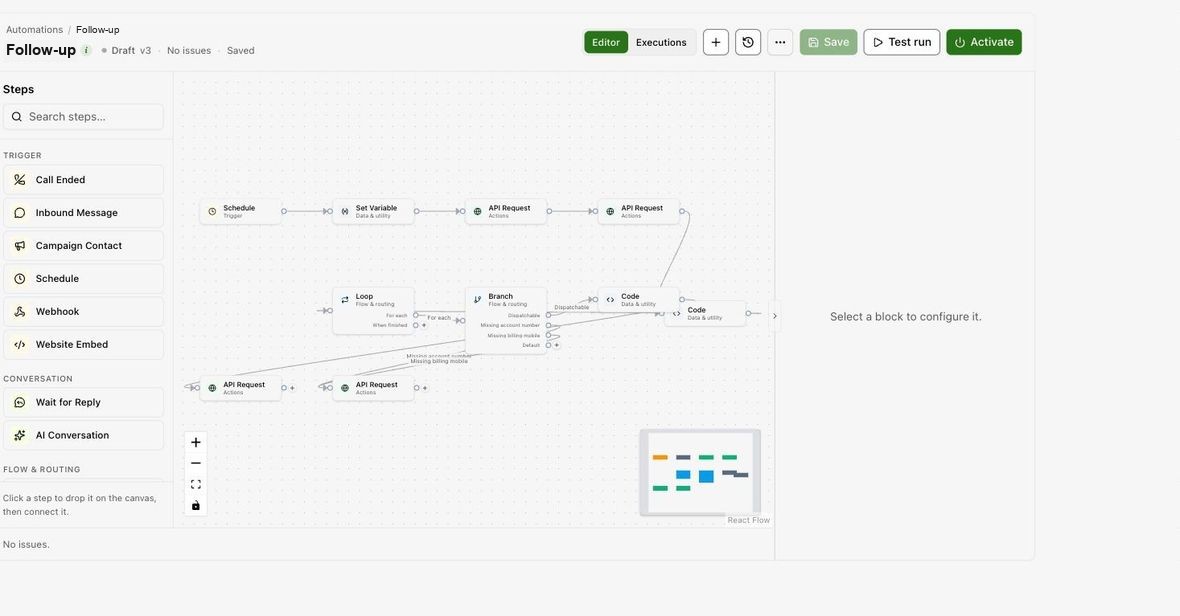
Triggers
| Trigger | Runs when |
|---|---|
| Call Ended | A call finishes and its record is written. |
| Inbound Message | An SMS or WhatsApp message arrives. |
| Campaign Contact | Once per contact when an SMS campaign attached to the automation starts. |
| Schedule | On a repeating schedule in the workspace timezone. |
| Webhook | An external system posts to the flow's URL. |
Blocks that run today
| Group | Blocks |
|---|---|
| Messaging | Send SMS, Send Email, Wait for Reply, AI Conversation |
| Data | API Request, Set Variable |
| Flow control | Filter, Time Filter, Branch, Loop, Wait |
The builder also shows blocks that are not executed yet, such as Place Call, Send WhatsApp and the calendar, Slack and CRM blocks. The editor lists any of these before you run a flow; a run skips them.
Build and run
Open Automations, create a flow, add a trigger and connect blocks on the canvas. Reference earlier outputs with variables. Activate the flow to start listening; each run's path and data are kept for inspection.