

Usage steps
-
Open WhatsApp and use the search field to find a name, phone number or company.
-
Review the visible All, Wants CB, Awaiting and New counts. Select a conversation from the left to view its messages.
-
Use Sync messages from Twilio when you need to refresh the connected message source.
-
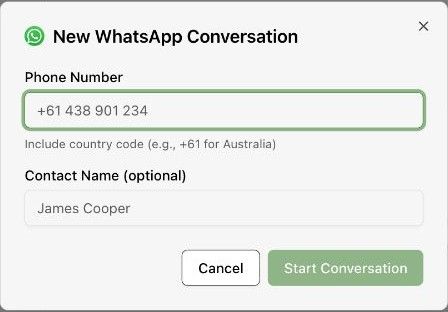
To start a new thread, select the plus control. Enter Phone Number with country code and an optional Contact Name.
-
Confirm the recipient before selecting Start Conversation. Review the messaging controls and any provider requirements in the opened thread before sending.
Expected result. You have opened the intended conversation for review or an authorised reply.
Practical notes and troubleshooting. Use the messaging provider and connection controls available in your workspace. The inbox shown uses Twilio synchronisation.