

Usage steps
-
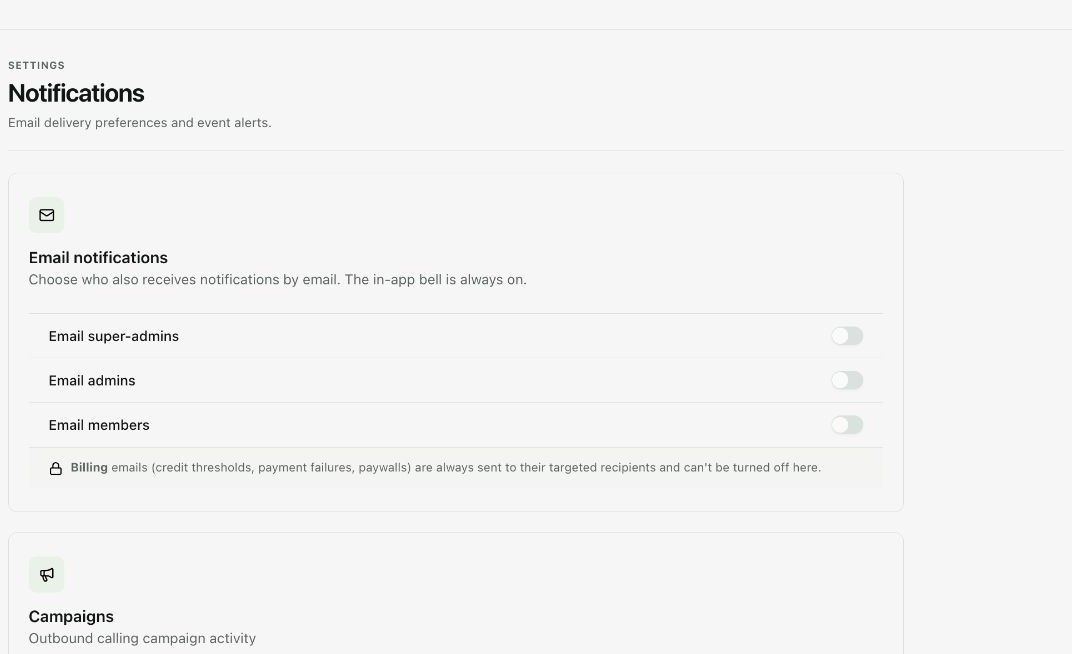
In Notifications, review the email switches for super-admins, admins and members. The interface states that the in-app bell remains on.
-
For each event, select the intended recipient roles. Categories include campaigns, calls, agents, billing, team, integrations and support.
-
Review credit thresholds and critical events such as failed payments or integration sync failures. Read the billing-email note before assuming a switch suppresses all messages.
-
Check the resulting selected state after changes and any save control shown by the current interface.
-
In Support, choose the Default ticket assignee and select Save. This controls the initial owner of new tickets unless another assignee is chosen.
Expected result. Operational alerts reach the intended roles and new support tickets have the desired default owner.
Practical notes and troubleshooting. The Support settings page configures the default assignee; it is not itself a ticket-creation form.