

Usage steps
-
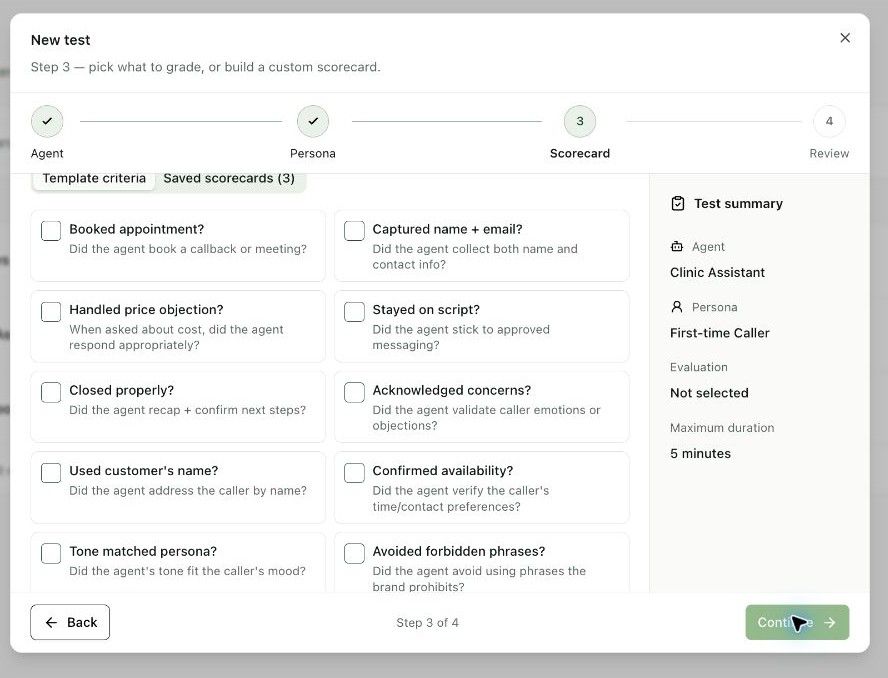
Choose one or more Template criteria, a Saved scorecard, or Create custom scorecard.
-
For example, select checks for capturing contact information, responding to an objection or closing with clear next steps. Avoid grading actions the agent is not meant to perform.
-
Select Continue. On Review & run, review Test name, Agent, Persona, Grading on and Max duration.
-
Use the edit controls or Back to correct the scenario before starting it.
-
Select Run test when ready. Return to the scenario list to check the last-run status and open the scenario to inspect its available results.
Expected result. A test run is created with the chosen evaluation criteria.
Practical notes and troubleshooting. A run marked Failed may indicate execution failure. Read the run details before treating it as evidence that the agent failed the behavioural check.