

Usage steps
-
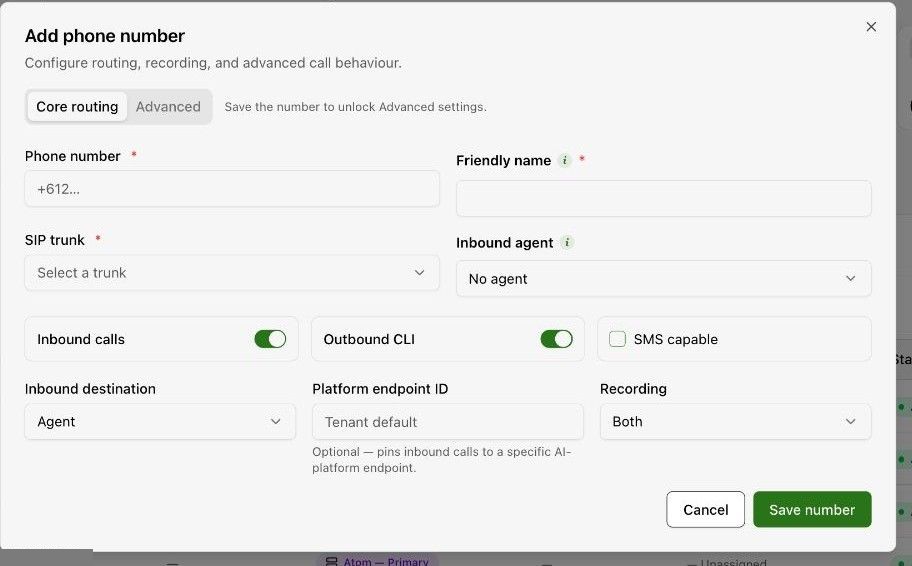
Select Add phone number. Enter the Phone number and a Friendly name that makes the number easy to identify.
-
Select the SIP trunk and Inbound agent. Review Inbound calls and Outbound CLI according to the intended use.
-
Review SMS capable, Inbound destination and Recording. Use Platform endpoint ID only when your administrator requires a specific endpoint.
-
Select Save number. The form indicates that saving unlocks Advanced settings.
-
Confirm the number and routing in the inventory. In the agent Assistant tab, confirm that the intended receiving number is assigned.
-
Place a controlled inbound test to the number and review the resulting call.
Expected result. Inbound calls to the configured number reach the intended agent.
Practical notes and troubleshooting. Adding a number to the platform is not the same as purchasing or provisioning it with the carrier. Confirm ownership and carrier routing first.