

Usage steps
-
Open Holidays. Check Country, which the interface initially derives from the timezone.
-
Review the public-holiday list and the enabled exclusions. Add organisation-specific closure dates with Add Holiday.
-
Select Next and review the campaign name, agent, recipient count, start timing, business hours, timezone and holiday summary.
-
Use the relevant Edit control if anything differs from your intended setup. Pay particular attention to immediate-start and empty-recipient warnings.
-
Select Create Campaign only when the reviewed configuration is ready to be used. Monitor the resulting campaign status in the campaign list.
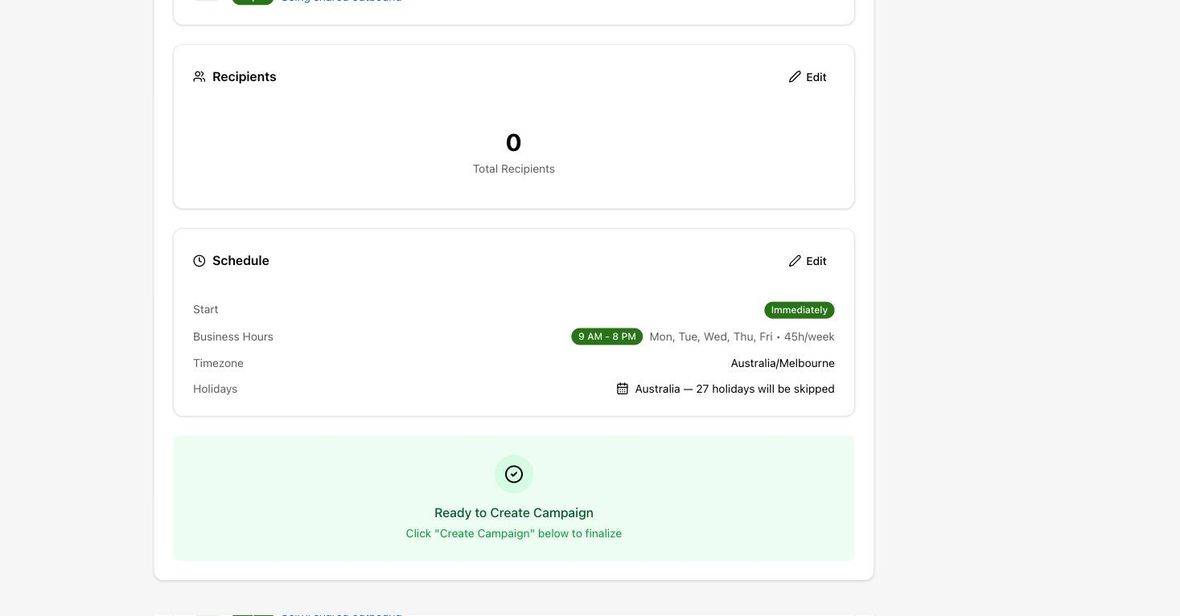
Expected result. The campaign is created with the intended configuration.
Practical notes and troubleshooting. An immediate-start campaign can begin dialling once created. Treat the final creation action as an operational action, not a preview.