

Usage steps
-
Open Advanced and review Call Analysis Criteria. Select the classifications relevant to this agent.
-
Under Structured Outputs, choose the schemas this agent should run after calls. Use the manage link to create or maintain schemas.
-
Under Scorecards, attach the available scorecards for evaluating calls. Review the auto-apply option if shown.
-
Review iOS / Android Call Screen Handling if the agent needs a predefined response to call screening.
-
Save with Update Agent and review a completed call or controlled test to confirm the expected analysis appears.
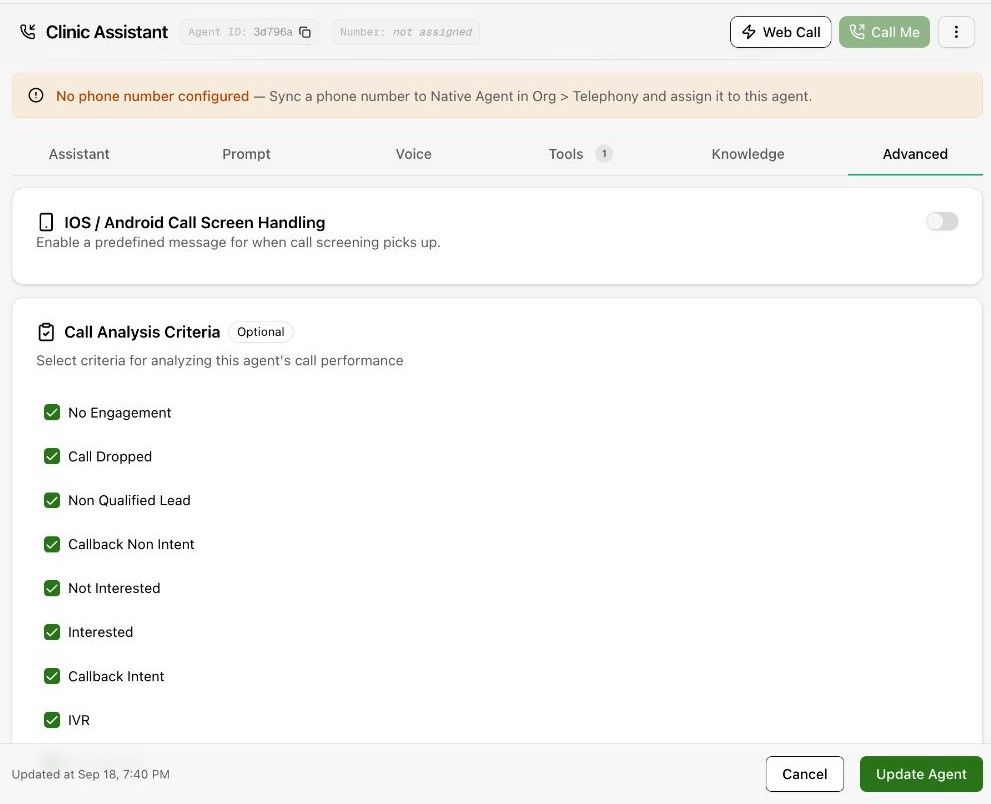
Expected result. Completed calls can be classified, evaluated and enriched using the selected configuration.
Practical notes and troubleshooting. A classification such as Interested answers a different question from a quality score or an extracted appointment date.