

SIP trunks
The counters at the top show numbers, trunks, how many numbers are assigned, and live calls in the last minute.
A trunk is the carrier connection calls run through. Add SIP trunk walks through three steps: Carrier (name, direction and address), Advanced, and Verify. Each trunk shows how many numbers it carries and whether it is active; import a trunk's numbers from its row.
Phone numbers
The Phone numbers tab lists every number with its trunk, the agent it is assigned to, and its status. Assign a number to an inbound agent here, or choose it as an outbound agent's Caller ID on the agent's Assistant tab.
Outbound caller ID
Choose what the person being called sees: the number the agent dials from, or the original caller's number passed through (for transferred calls).
Buy numbers
With Twilio connected under Configuration → Integrations, search for and buy numbers from the Twilio card; they appear under Phone numbers.
Call rules
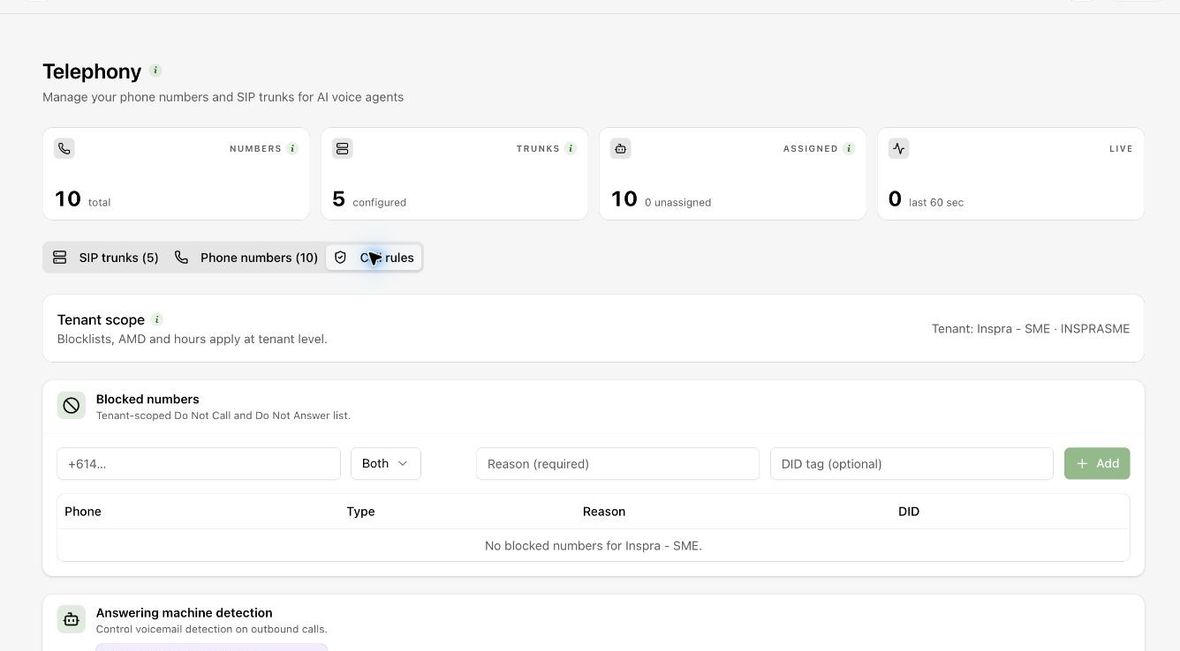
Call rules hold answering-machine detection (and numbers that always skip it), whether detection is skipped on transferred calls, a blocked-numbers list, and the SIP headers the platform sends and accepts.
If your organisation manages telephony centrally, some settings show Managed by your organization and are read-only in the workspace.