

Use an intended contact's correct phone number. The screenshots show only the unsaved form; no contact was created and no message was sent for this walkthrough.
1. Open the new-conversation form
Open WhatsApp and click the + beside the heading. When the list is empty, Start a conversation opens the same form.
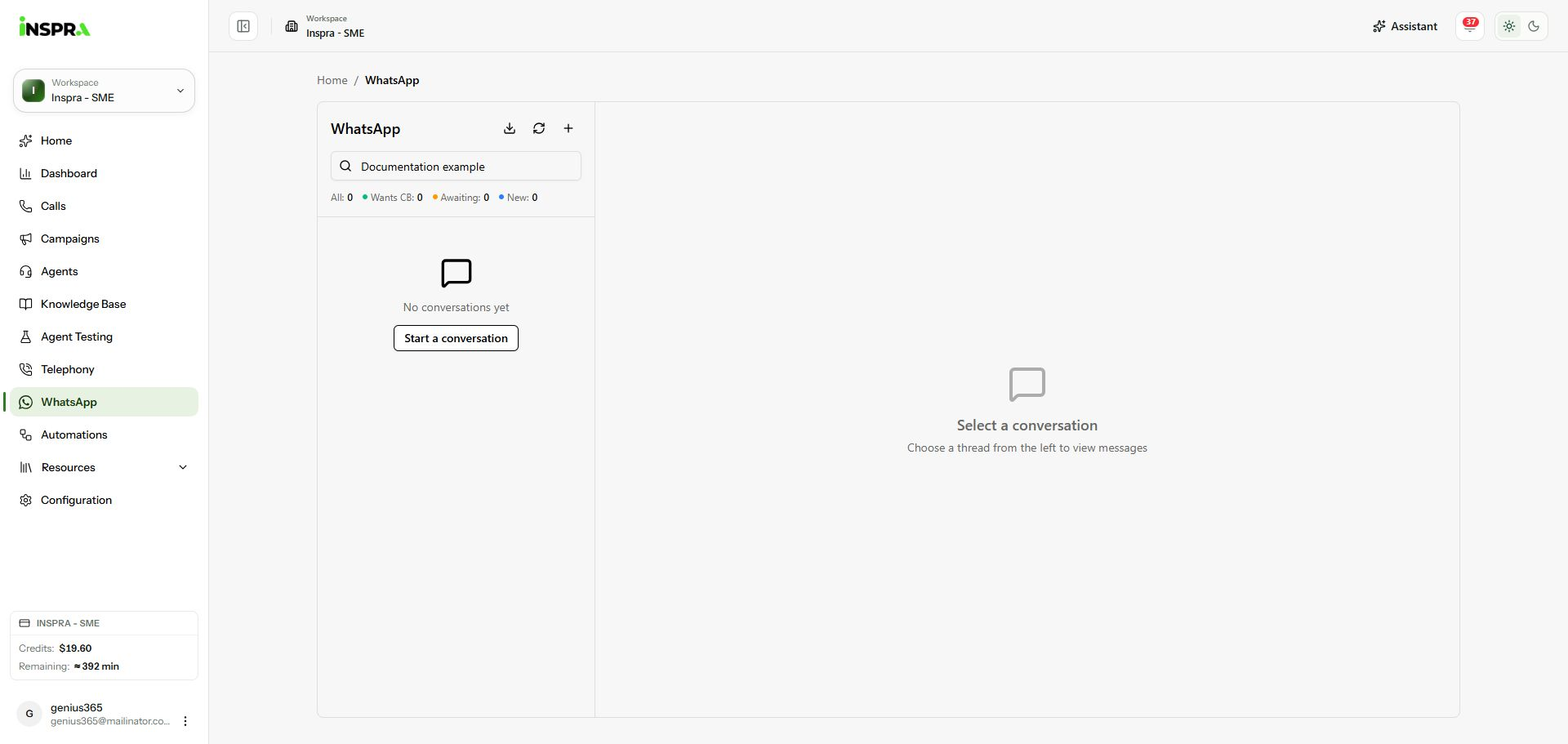
The plus button and Start a conversation action in WhatsApp. 2. Enter the contact and start
In New WhatsApp Conversation, enter Phone Number including its country code. Add a Contact Name if useful, then click Start Conversation. The new thread opens in the message panel. The example name below is filled in, but the phone field is empty and shows only its placeholder.
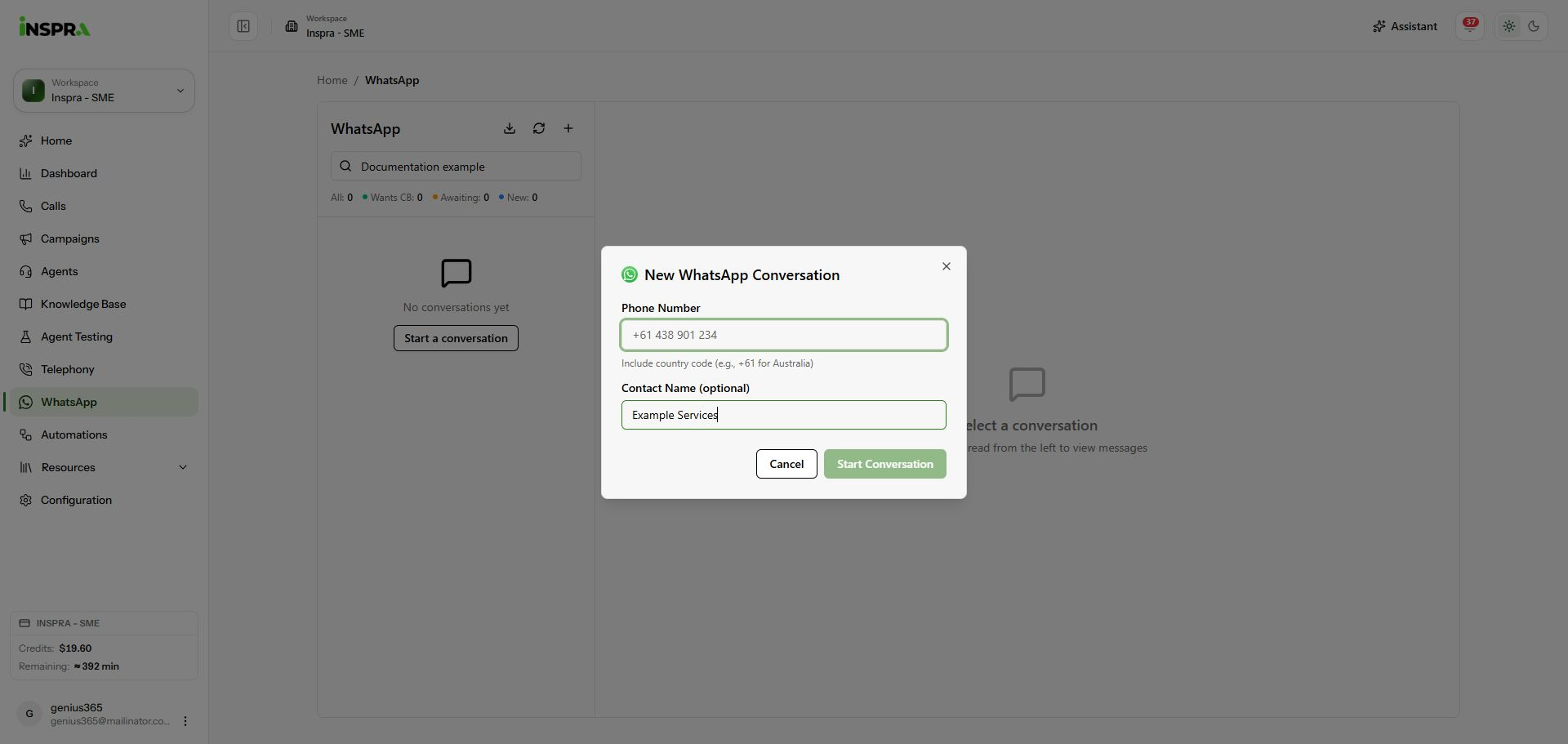
New WhatsApp Conversation with an example name and an unfilled phone number.
Creating a thread is separate from sending a message. Follow the thread's messaging-window notice when replying. Selecting a message template can send it immediately when no variable input is required, so review the intended recipient and template before selecting it.