

Open Calls in the workspace sidebar. This example shows internal test calls for Alex; customer records are not included.
1. Find the calls you need
Choose a date range and use Search calls, the agent selector, disposition and duration filters to narrow the table. Enable Show internal calls to see browser tests; turn it off to return to customer calls.
2. Read the table
Review the call type, provider call ID, time, From, To, Duration and Disposition. The totals above the table summarise the filtered results. Click a column heading to sort.
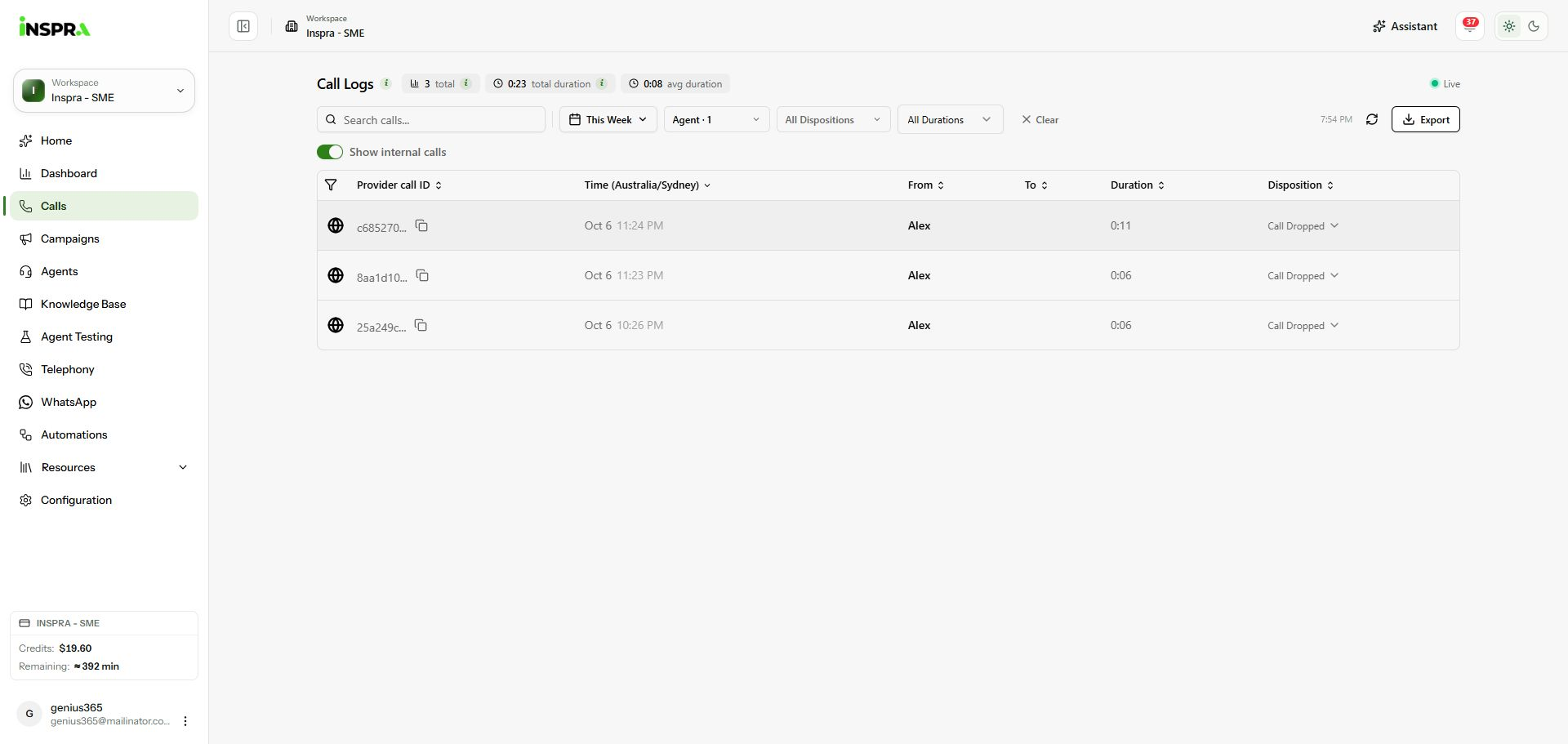
Calls list filtered to Alex internal tests, with the table and filters visible. 3. Open a call
Click a call row to open its Call details. Use Export only when you need a report of the calls you are authorised to share.