

1. Open Outbound Caller ID
In Telephony → SIP trunks, scroll below the trunk list to Outbound Caller ID. Check whether the controls are editable. In this workspace, caller ID is managed by the organisation and the controls are disabled.
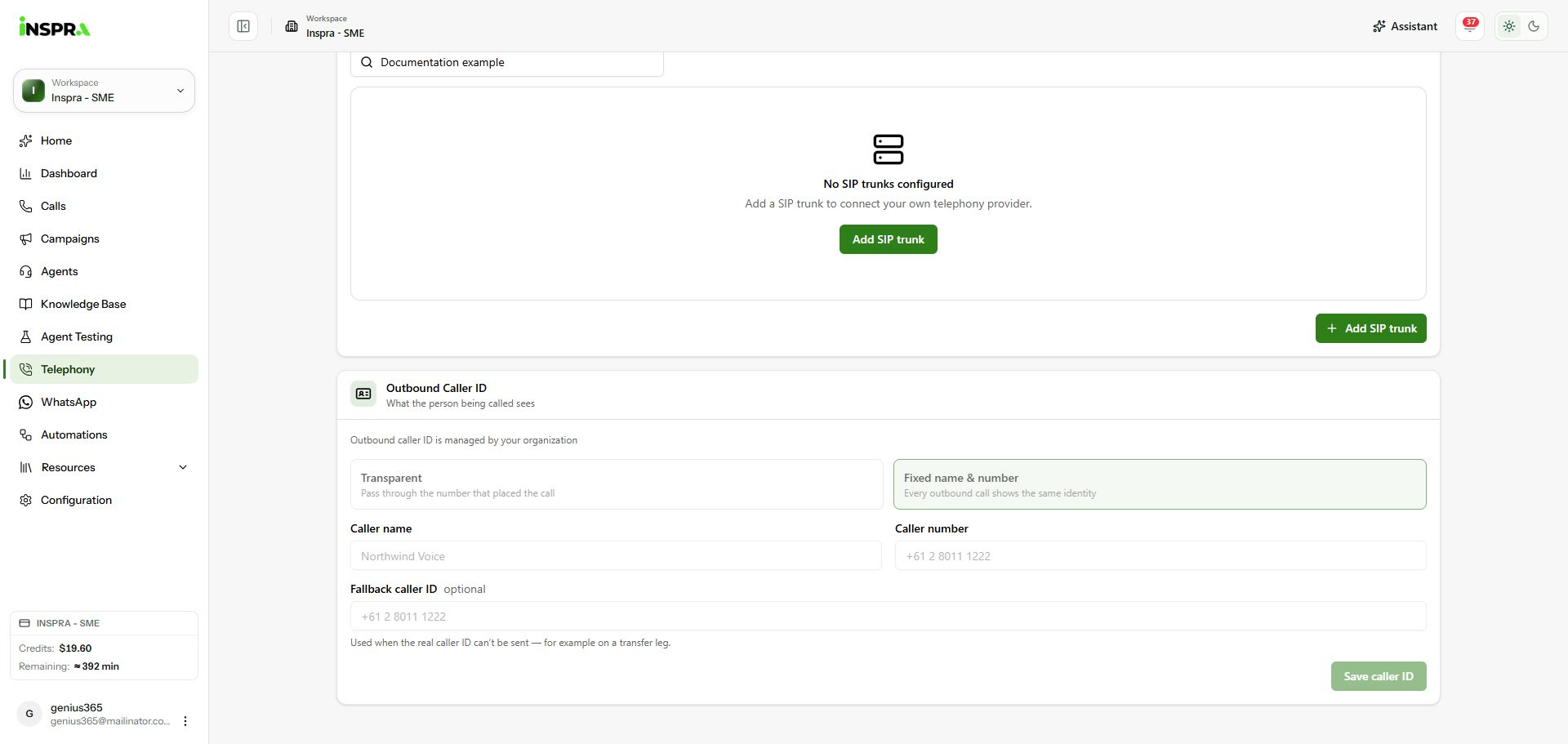
Organisation-managed outbound caller ID controls. 2. Choose the identity when editing is enabled
Transparent passes through the number that placed the call. Fixed name & number uses one identity for outbound calls; fill in Caller name and Caller number. The optional Fallback caller ID is used when the real caller ID cannot be sent. Use an identity your carrier permits, then click Save caller ID. If the card is organisation-managed, ask your administrator to configure it.
Outbound caller ID
Review the identity shown to people receiving outbound calls.