

This example describes an explicit callback request for Example Services. The form was cancelled after capture; no criteria set was created.
1. Start a criteria set
Open Resources → Analysis & Output → Call Analysis Criteria and click Create.
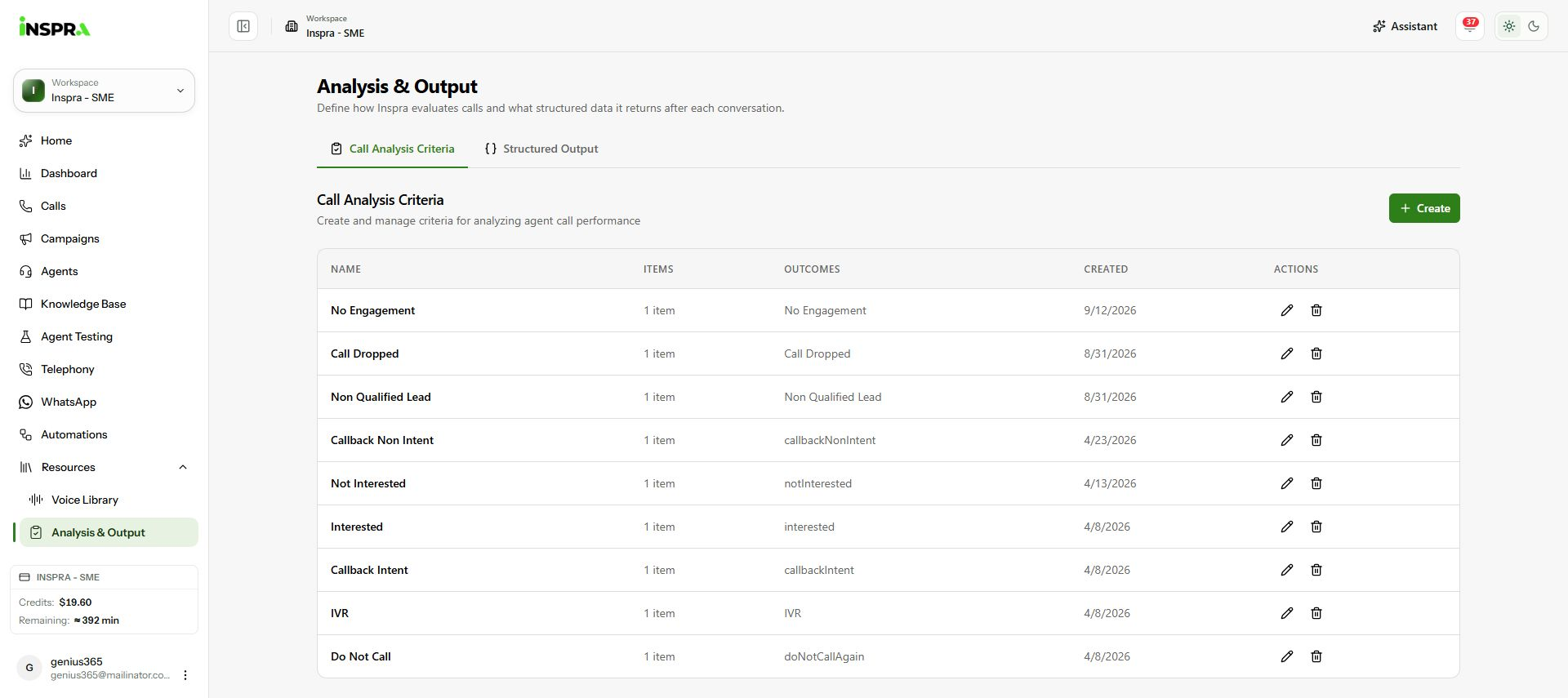
Create starts a new call-analysis criteria set. 2. Define the outcome and status
Enter a Name. For each Criteria Item, give the Call Outcome a clear identifier and write a Prompt explaining exactly when it applies. Choose the appropriate Disposition Status: Call Successful, Call Positive, Informational or Call Unsuccessful. Here, an explicit callback request uses
callbackRequestedand Call Positive.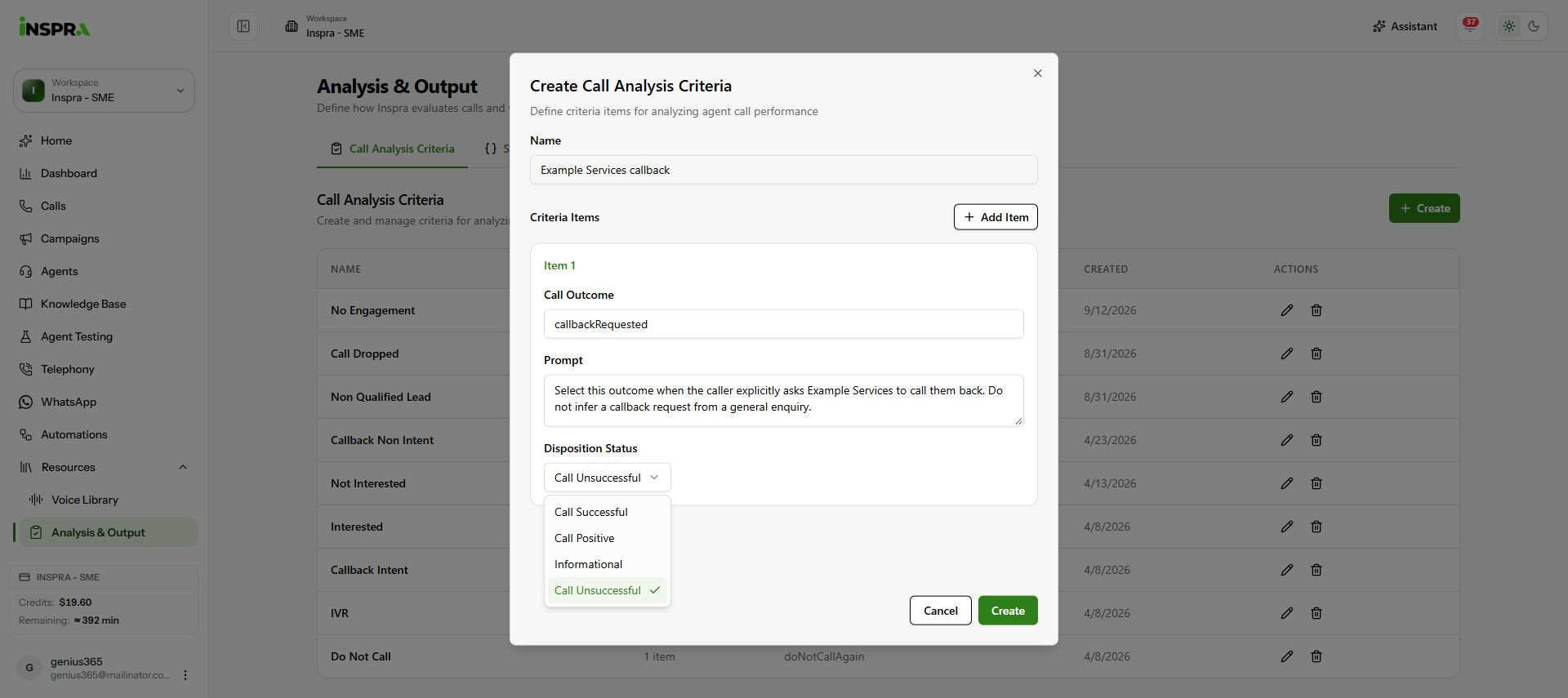
Example callback outcome and prompt with the disposition choices open. 3. Review and create
Use Add Item if the set needs more outcomes, completing each item's prompt and disposition. Check that the rules are distinct and easy to apply, then click Create. The new set appears in the list. Use Cancel to discard an unsaved form. Creating a criteria set does not itself assign it to an agent.
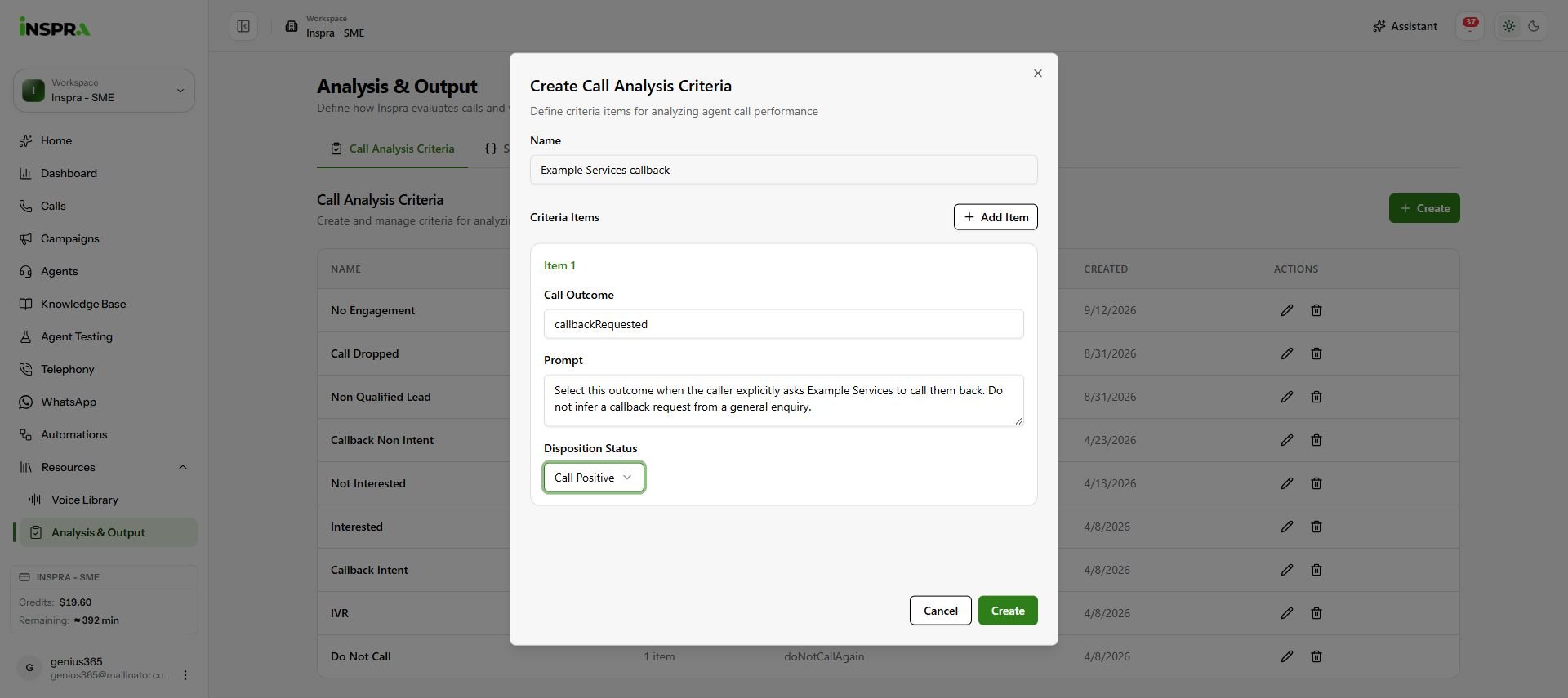
Completed unsaved callback criterion with Call Positive selected and Create available.