

In Telephony → Phone numbers, find the number, click its pencil button and open Core routing. The first screenshot shows a saved business number; the alternative destination examples use an unsaved creation form.
1. Choose an inbound agent
Check the SIP trunk and enable Inbound calls. For agent routing, select an Inbound agent and keep Inbound destination set to Agent. Leave Platform endpoint ID empty unless your setup requires a specific endpoint.
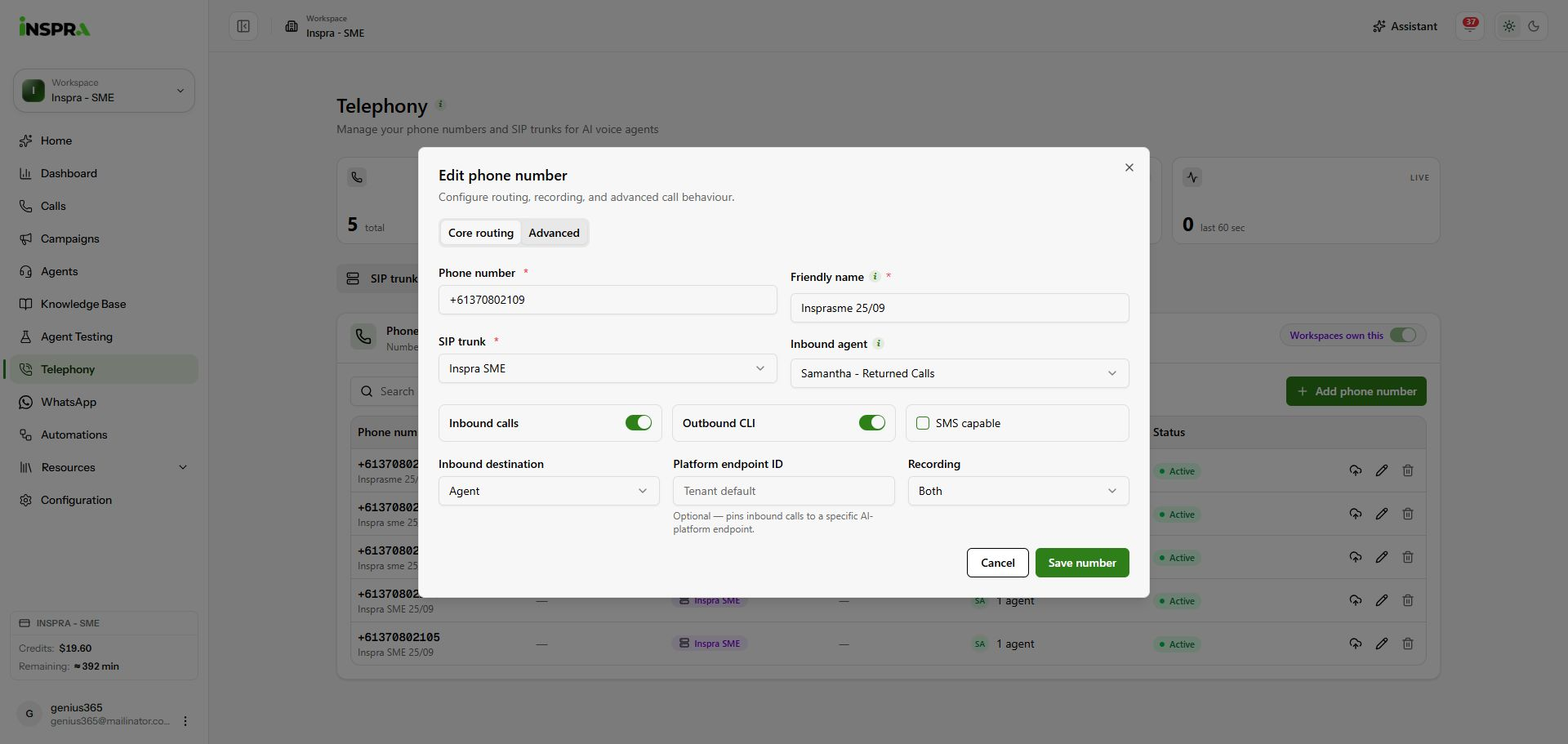
A saved number assigned to Samantha - Returned Calls, with Agent routing and recording controls. 2. Choose another destination if needed
Open Inbound destination. Choose Person / extension, External number or SIP URI, then complete the fields shown for that destination.
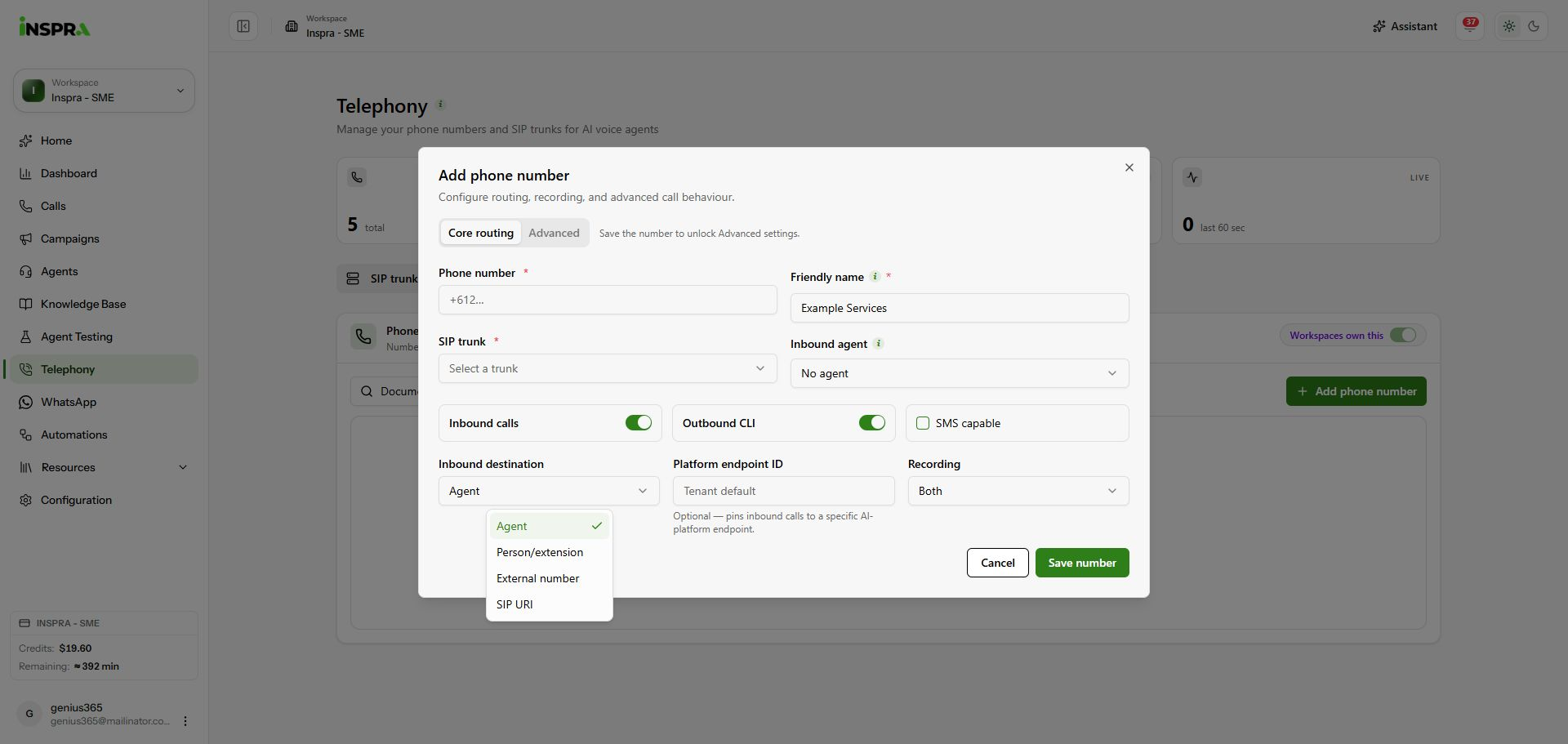
Select the destination type for inbound calls. 3. Review forwarding and recording
For External number, enter the destination in Forward E.164. Choose Original caller (A-party) or This DID for the inbound PSTN forward caller ID. Review Recording and click Save number to apply core routing changes.
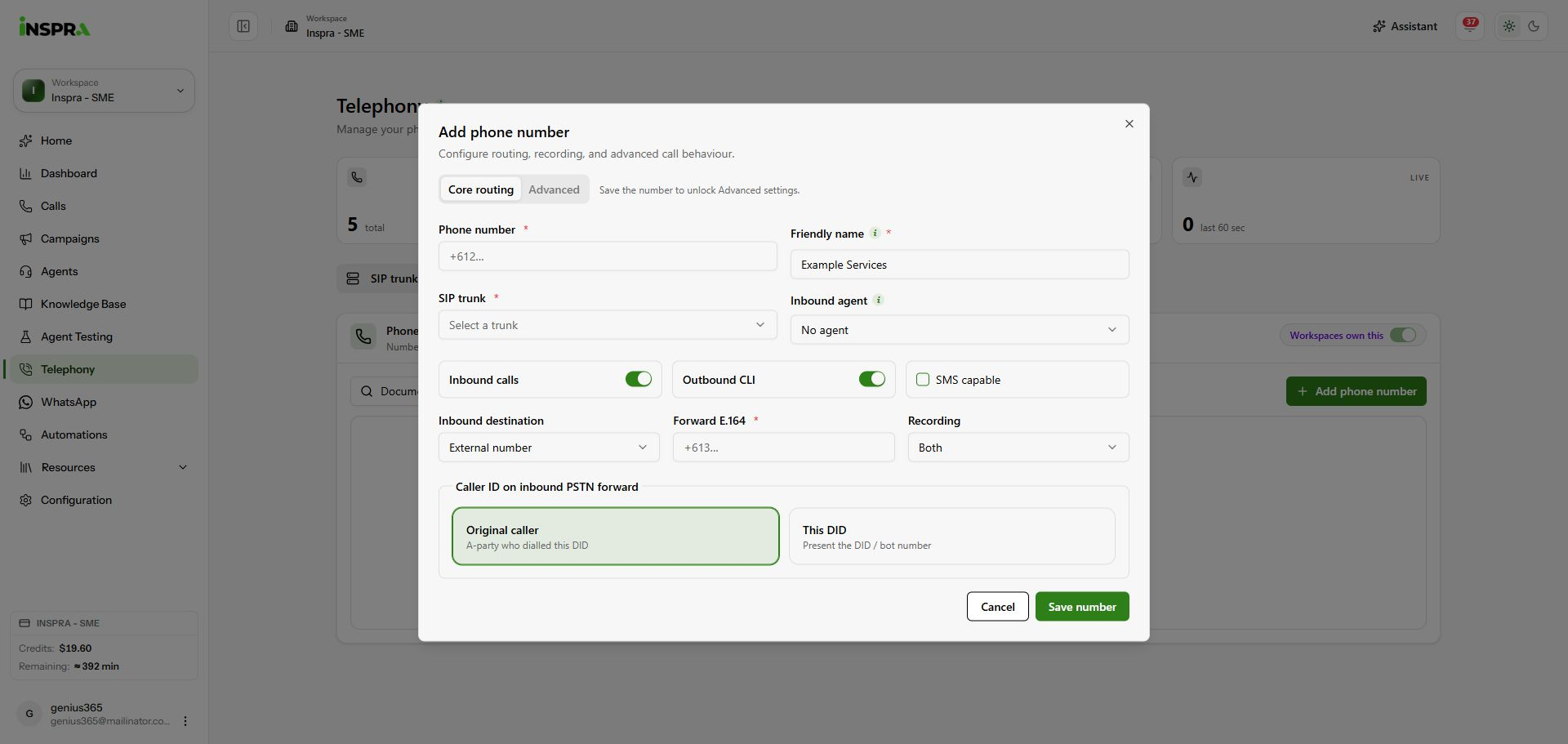
External forwarding and caller ID options.