

Open SMS → Settings. These controls update the workspace's sending policy. Selectors and switches save immediately; edited text and delay fields save when you leave the field.
1. Review message length and the footer
Choose Maximum segments per message to limit campaign message length. Review Unsubscribe footer and its Footer text. The footer counts toward the message limit. The screenshot shows a three-segment limit and the enabled STOP footer.
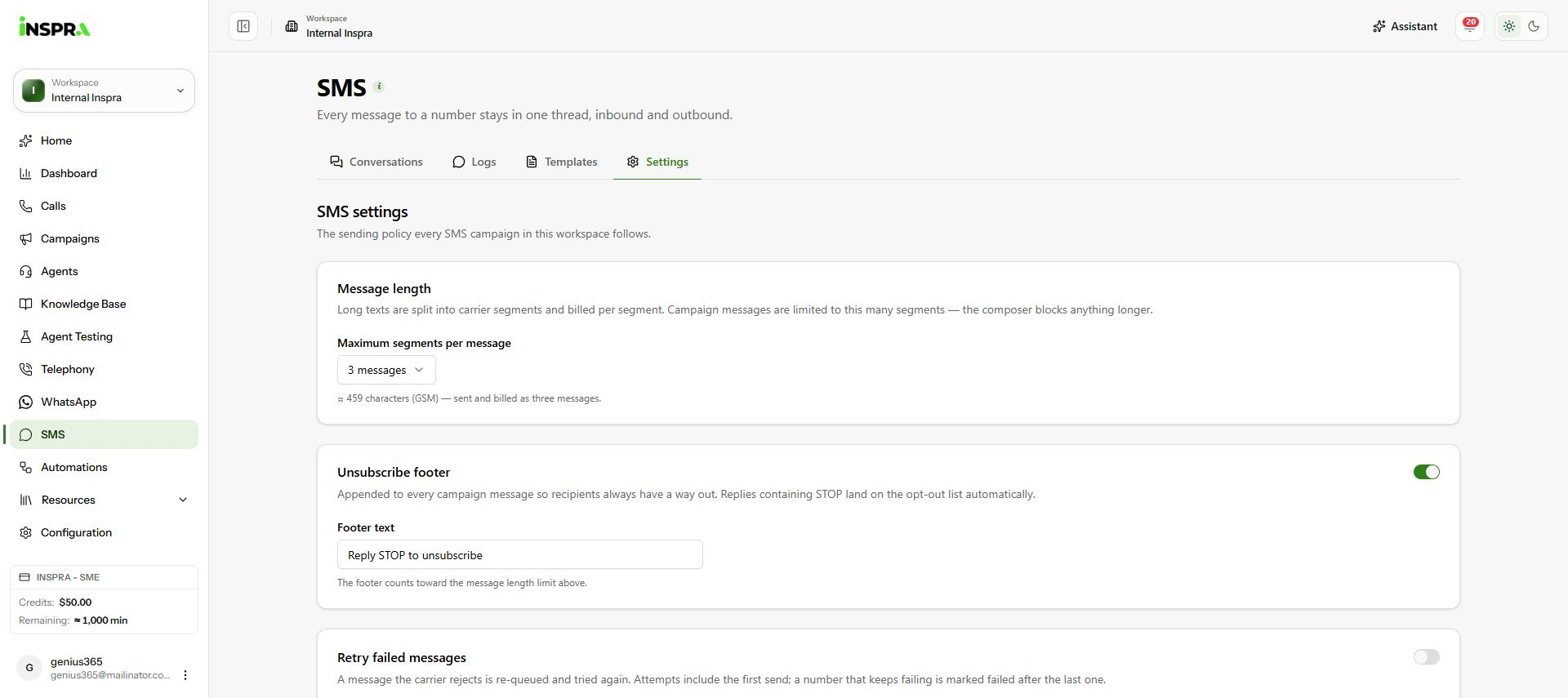
Message segment limit and unsubscribe footer settings. 2. Configure retries if required
Under Retry failed messages, enable retries only if your sending policy requires them. Set Attempts per recipient and Minutes between attempts. Attempts include the initial send. The screenshot shows retries switched off, so the fields are disabled.
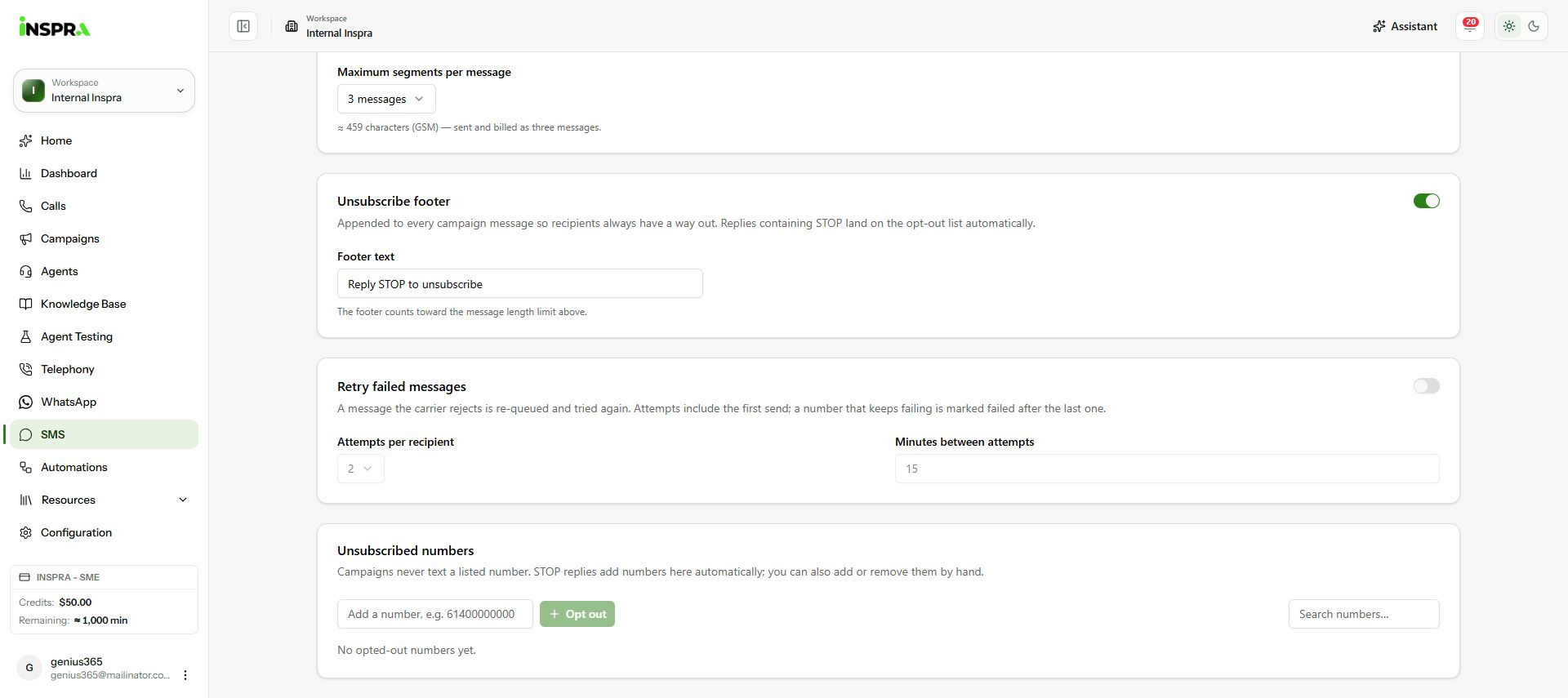
Disabled retry fields and the empty unsubscribed-number list. 3. Review unsubscribed numbers
Unsubscribed numbers are excluded from campaigns. STOP replies add entries automatically. To add a manual opt-out, enter the number and click Opt out. Use Search numbers to find an entry. Only remove an opt-out when you have a valid reason to resume messaging that person. The captured list is empty.