

1. Open and review progress
Click the campaign name or View in the Campaign list. Check its name, status and agent. Campaign Progress shows processed calls, total recipients and pending calls. This example is a terminated campaign.
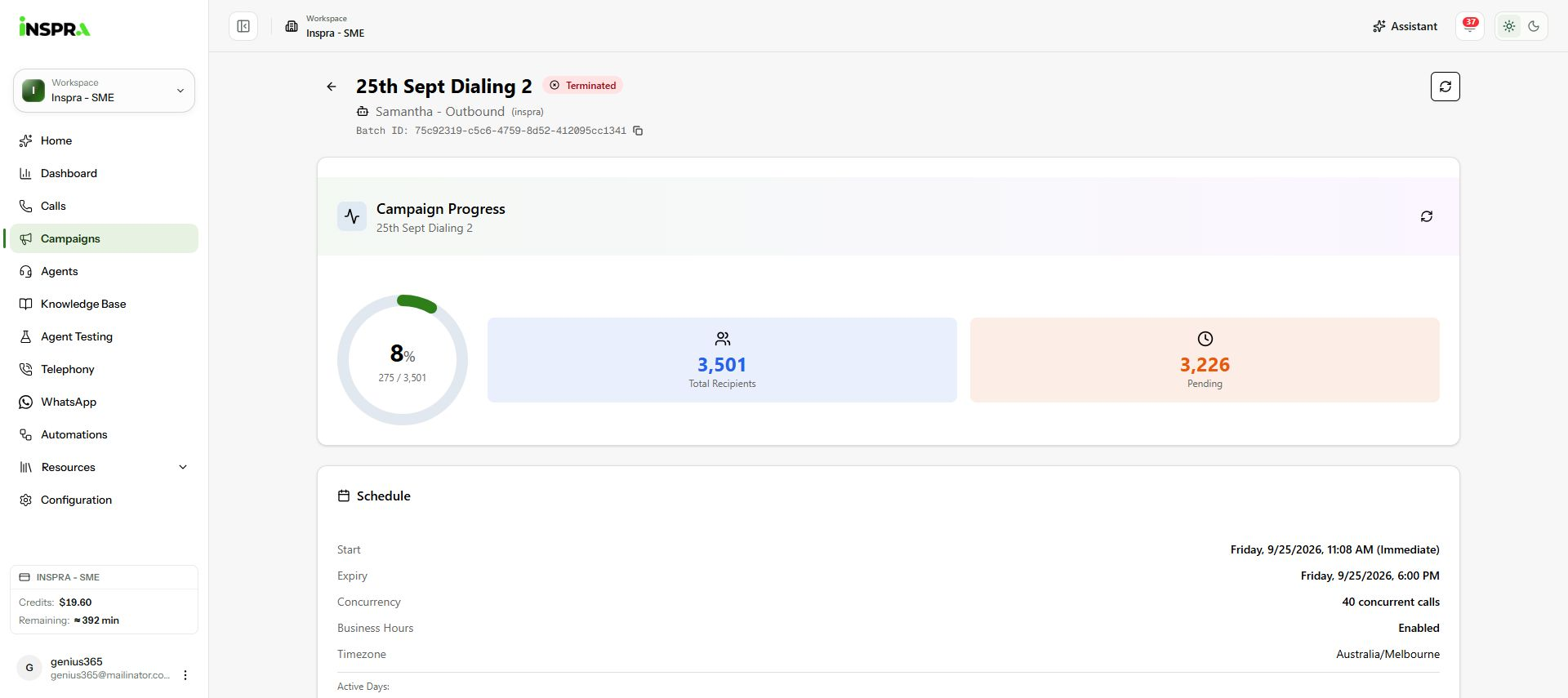
Campaign details with name, status, agent and progress totals. 2. Check the calling schedule
Read Schedule for the start, expiry, concurrency, business-hours setting, timezone and active days.
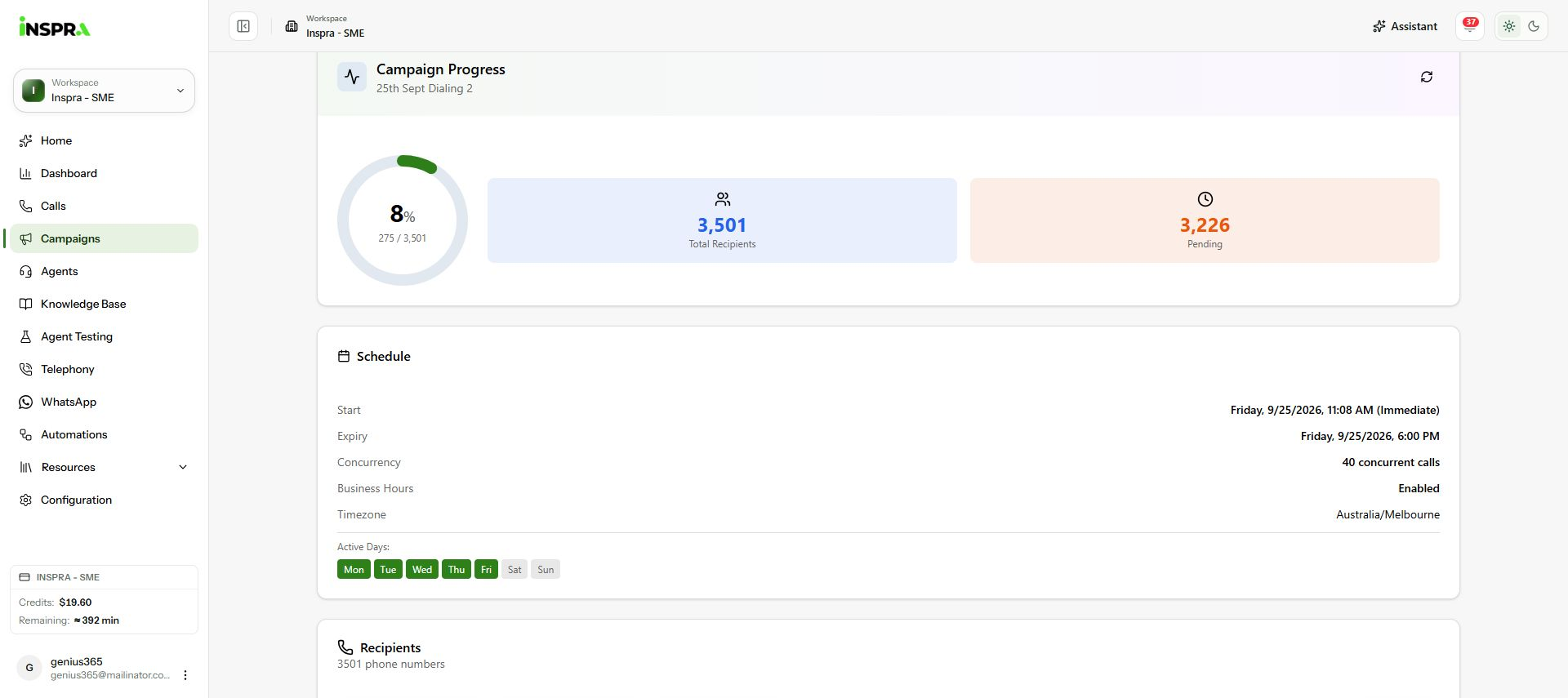
Schedule card showing campaign timing, concurrency and active days. 3. Review recipients and available actions
Scroll to Recipients to inspect individual outcomes. Recipient contact rows are omitted from these screenshots. Actions depend on status: an active campaign can be paused, and a paused campaign can be resumed. Starting or resuming can place calls. Use the back arrow beside the campaign name to return to the list.
Campaign details
Review one campaign's progress, recipients and calling schedule.