

1. Open the details panel
In the Calls list, click a call row. Check the agent and date in the panel header to confirm you opened the intended conversation. This screenshot shows the approved Alex browser test.
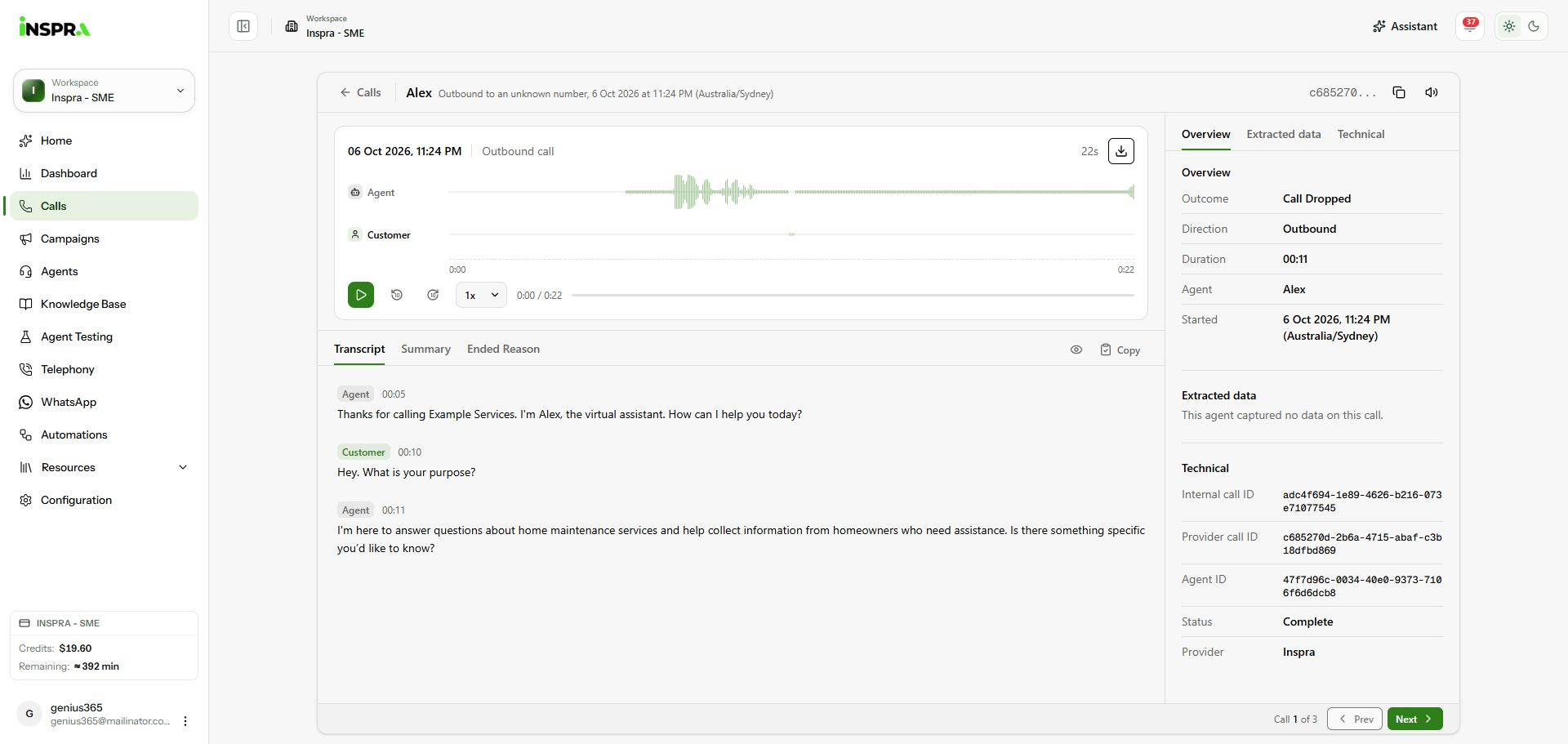
Call details opened from the Alex test-call row, showing the recording, transcript and details rail. 2. Review the conversation
Use Play, the ten-second skip controls and playback speed to listen to the recording. Read Transcript, or switch to Summary and Ended Reason. Transcript timestamps help locate the corresponding audio.
3. Check the outcome and return
Use Overview for the outcome and call information, Extracted data for captured values, and Technical for identifiers and provider status. Select Prev or Next to move through the filtered calls, or Calls at the top left to return to the table.
Call details
Review the recording, transcript and outcome in the panel opened from a call row.