

1. Open Call rules
Go to Telephony → Call rules. Check the tenant shown at the top before changing its rules. The Blocked numbers table lists saved rules; this workspace's table is empty.
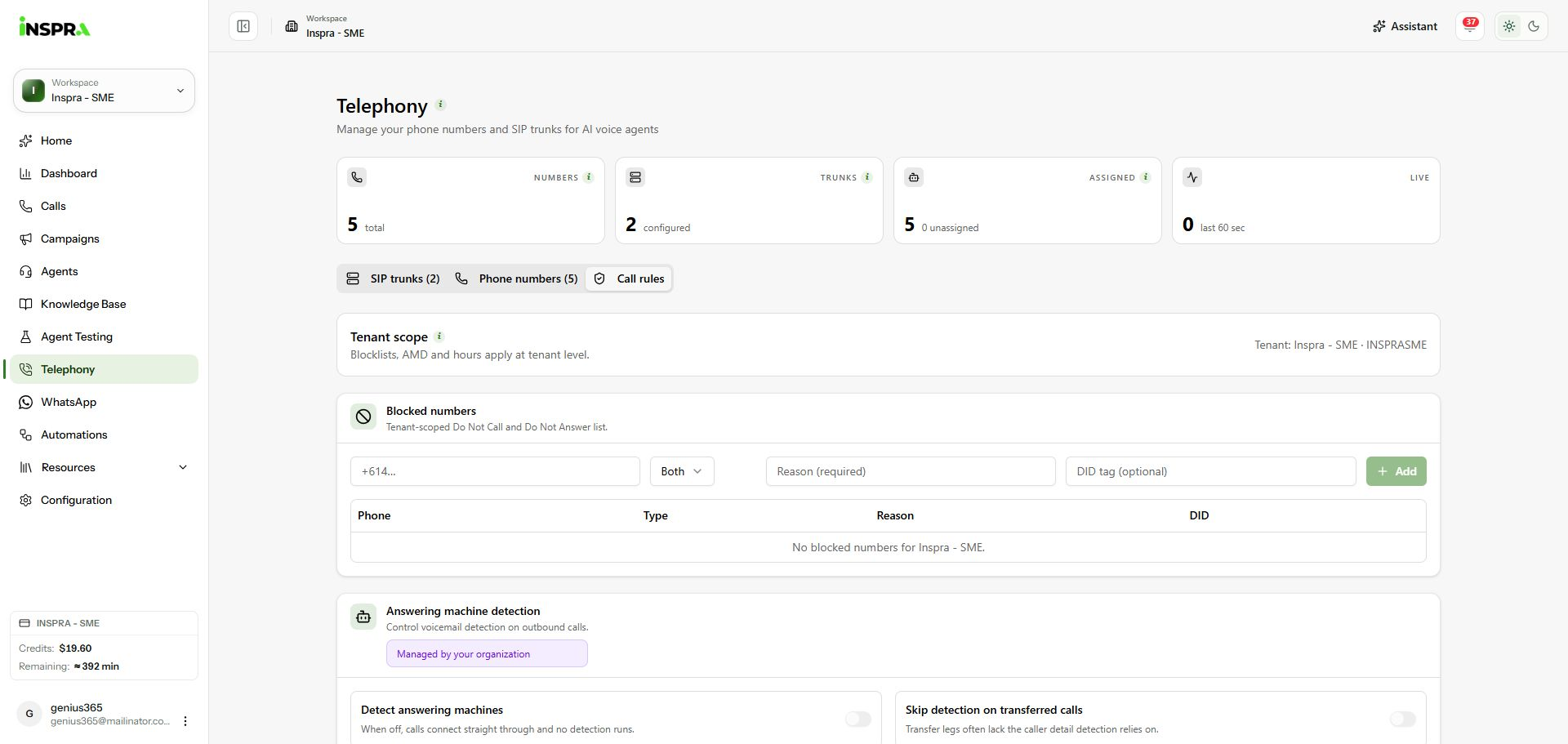
Call rules with an empty tenant blocklist. 2. Add a blocked number
Enter the phone number, select DNA (Do Not Answer), DNC (Do Not Call) or Both, and enter a reason. Use the optional DID field to associate the rule with a particular line. Click Add, then confirm the entry in the table. No rule was added for this walkthrough.
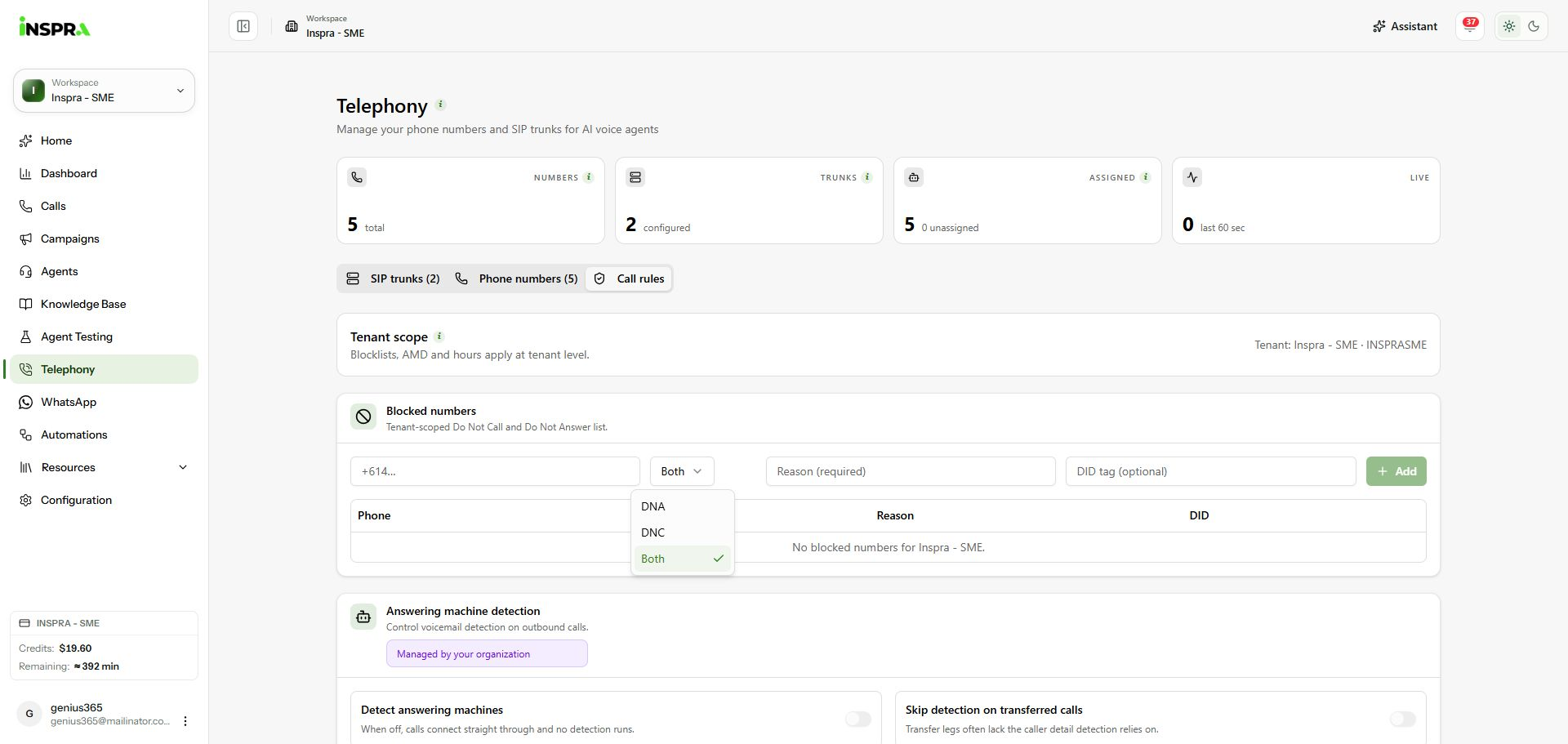
Choose DNA, DNC or Both for the blocked number. 3. Review answering machine detection
Scroll to Answering machine detection. When your organisation permits editing, configure detection, whether transferred calls should skip it, its mode and exempt numbers, then click Save AMD. Exempt numbers are entered one per line. This workspace shows organisation-managed controls.
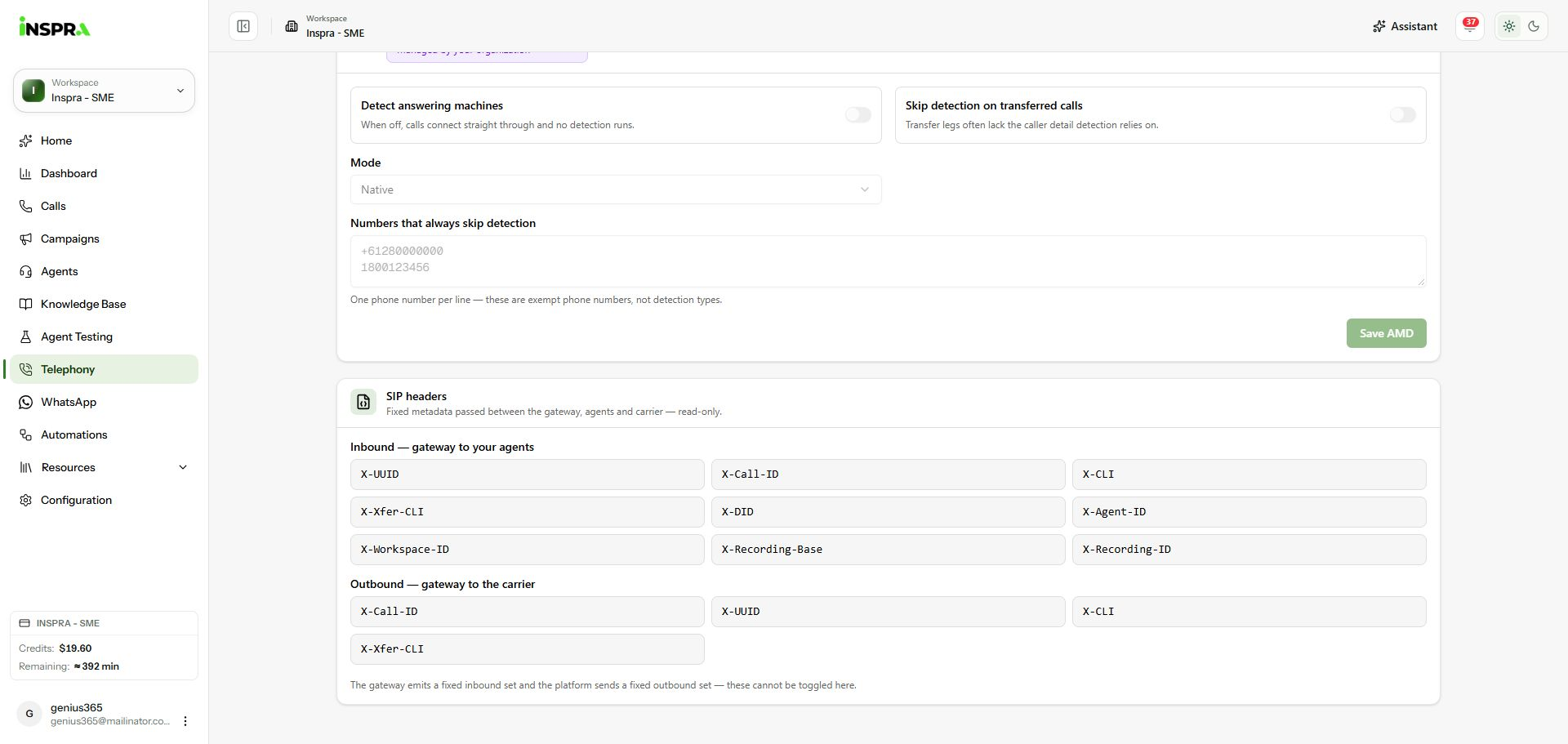
Organisation-managed AMD controls and the fixed SIP header lists. 4. Inspect the SIP headers
The SIP headers section lists metadata sent inbound to agents and outbound to the carrier. These header names are read-only and cannot be toggled here. They are separate from the carrier header switches under a trunk's Advanced tab.
Call rules
Manage blocked numbers, review voicemail detection and inspect fixed SIP metadata.