

Before you start
You need a business email address and a payment card. Your logo, brand colour, and preferred platform address are useful to have ready, but you can add them after paying.
Open signup on platform.inspra.ai. The same page on an existing agency's branded host redirects to login.
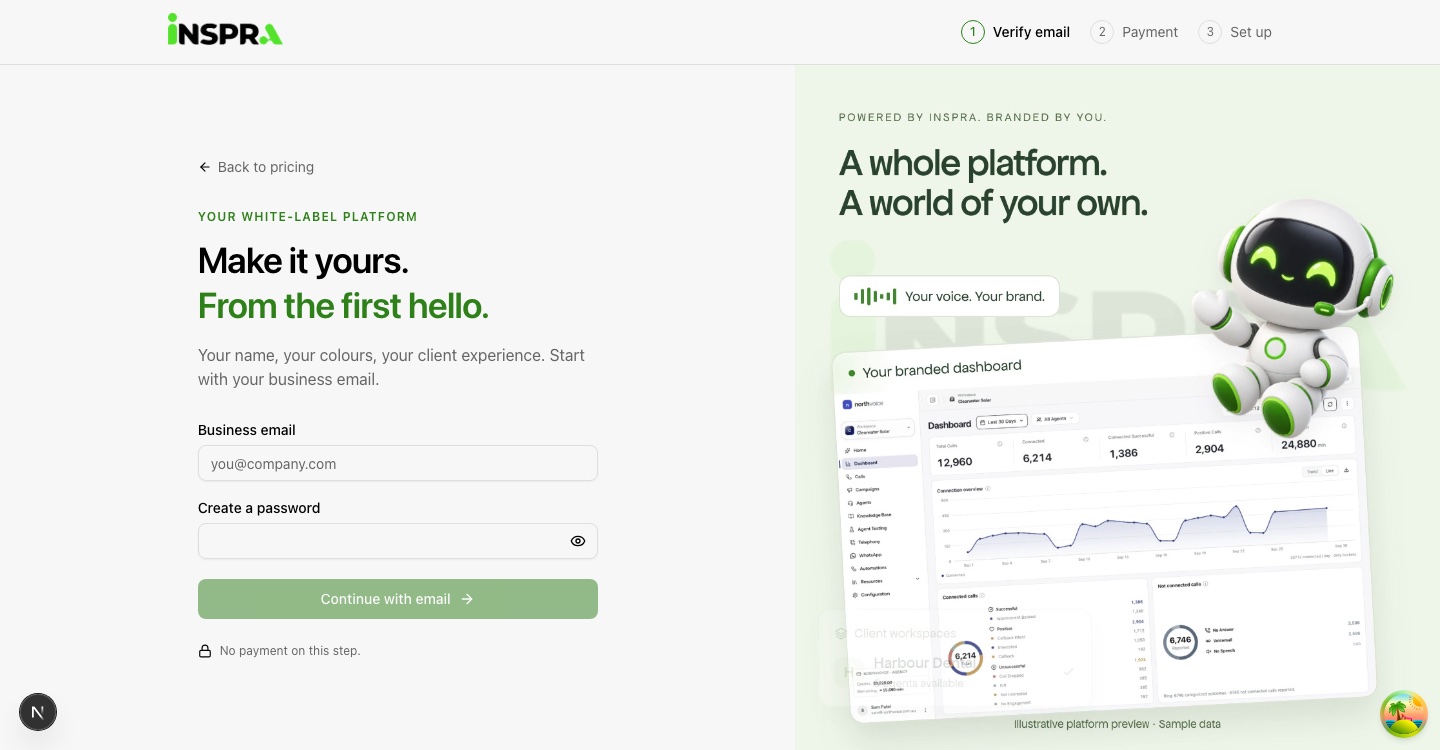
Verify your email
Enter your email and a password
Enter your business email, create a password, and select Continue with email.
Enter the code
Type the 6-digit code sent to that address and select Verify and continue to payment. Use Send a new code if it does not arrive.
If the email already has an account, signup asks you to sign in and then continues to payment.
Pay and activate
Review the plan
The plan card shows the monthly price, the workspace allowance, and the amount due today.
Pay
Select the pay button and finish the hosted checkout. Your platform is created automatically; this usually takes a few seconds.
Choose who sets it up
Once your platform is live, select Set up on my own, which is free, or Have our team set it up for a one-time fee. Team setup is a separate payment, made only if you choose it.
Set up your platform
After payment you return to two short steps. Each one can be skipped and finished later from your dashboard.
Your brand
Enter your business name, upload a logo, and choose a brand colour: pick one, type a hex code, or use a colour taken from your logo. The preview updates as you edit.
Platform address
Choose your subdomain; it starts from your business name. Use 3 to 50 lowercase letters, numbers, or hyphens, without a leading or trailing hyphen, and wait for the availability check.
Open your dashboard
Select Open your dashboard. You are signed in on your own platform address. After that, sign in there with your email and password, and continue with the launch checklist.
If you cannot continue
| Problem | What to do |
|---|---|
| The code does not arrive | Check spam, then use Send a new code. Codes are limited to a few per hour. |
| Signup says it is not available | Contact support@inspra.ai. |
| Activation is still running after a minute | Your payment went through. Contact support@inspra.ai instead of paying again. |
| Subdomain unavailable | Choose another name and wait for the availability check. |
| You closed the page after paying | Open the signup link again and sign in. You return to setup, not to payment. |