

Configure the connection
Enter the SMTP connection
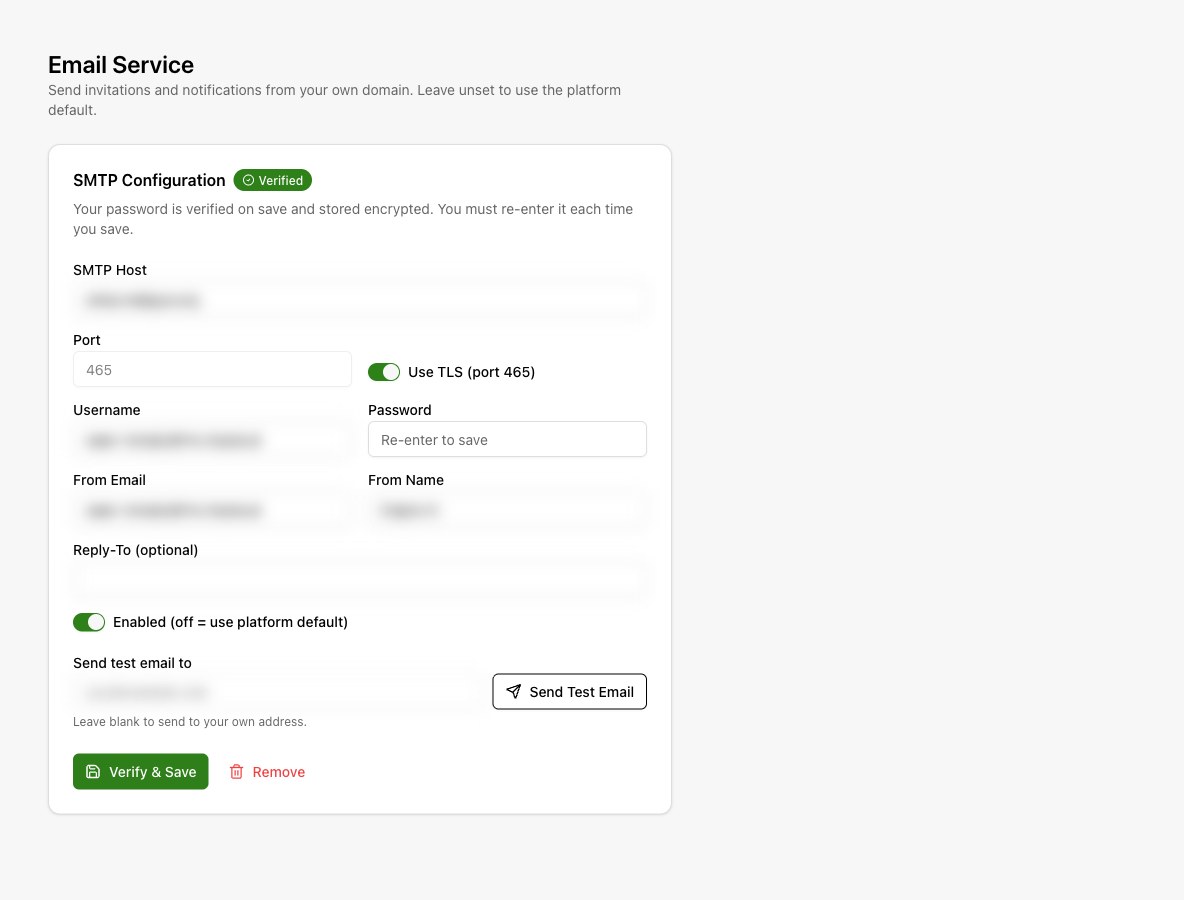
Enter SMTP Host, Username, and Password from your email service. Choose its port and security settings. Use TLS (port 465) selects port 465; turning it off resets the form to port 587.
Set the sender
Enter From Email and From Name. Add a Reply-To address if replies should go somewhere else. Leave Enabled on.
Send a test
Enter a recipient under Send test email to and select Send Test Email. A blank recipient sends to your own account email. Confirm receipt.
Verify & Save
Select Verify & Save. The service checks the connection before saving. Confirm the verified state.
Update or remove the sender
The saved password is encrypted and is never loaded back into the form. Re-enter it each time you save. To return to the platform sender, turn Enabled off and save, or select Remove.
Choose which notifications use email
SMTP settings define how email is sent. Organization > Notifications > Email & delivery controls whether notification email goes to you, staff, or clients. Configure notification audiences.
If verification fails, use the displayed error to check the host, port, security option, and password. This connection does not configure campaign SMS or voice providers.