

Integrations we provide
The white-label platform supports the following integrations under Organization > Integrations > Provider credentials. Connect each service once, then assign access to the client workspaces that need it.
| Integration | What you can use it for | What you need to connect |
|---|---|---|
| Vapi | Build and run voice agents on Vapi. | A Vapi private API key. You can also add its public API key for client-side features such as test calls. |
| Retell AI | Build and run conversational voice agents on Retell. | A Retell AI API key. |
| ElevenLabs | Use ElevenLabs text-to-speech voices for agents. | An ElevenLabs API key. |
| Google Text-to-Speech | Use Google Cloud speech synthesis and multilingual voices. | Google Cloud service account JSON with Cloud Text-to-Speech enabled. |
| Cartesia | Use Cartesia text-to-speech voices for agents. | A Cartesia API key. |
| Google Calendar | Let agents book, cancel, and reschedule appointments. | Google OAuth client ID and client secret, followed by Google account authorization. |
| Cal.com | Book appointments through Cal.com scheduling. | A Cal.com API key. |
| GoHighLevel | Connect CRM contacts and calendar booking. | A GoHighLevel API key. |
| Algolia | Search indexed call logs and transcripts. | An Application ID, Admin API Key, and index name. A Search API Key is optional. |
An available integration is a supported connection. Whether the platform supplies its credentials depends on your assigned white-label plan. Check the provider's Managed badge before setting up your own account.
Platform-provided native voices
Native audio supplies text-to-speech voices for native agents through a platform-managed connection. It does not have a configuration card in Organization Integrations, and agencies do not need to add a provider key for it there.
Connect a provider and assign workspaces
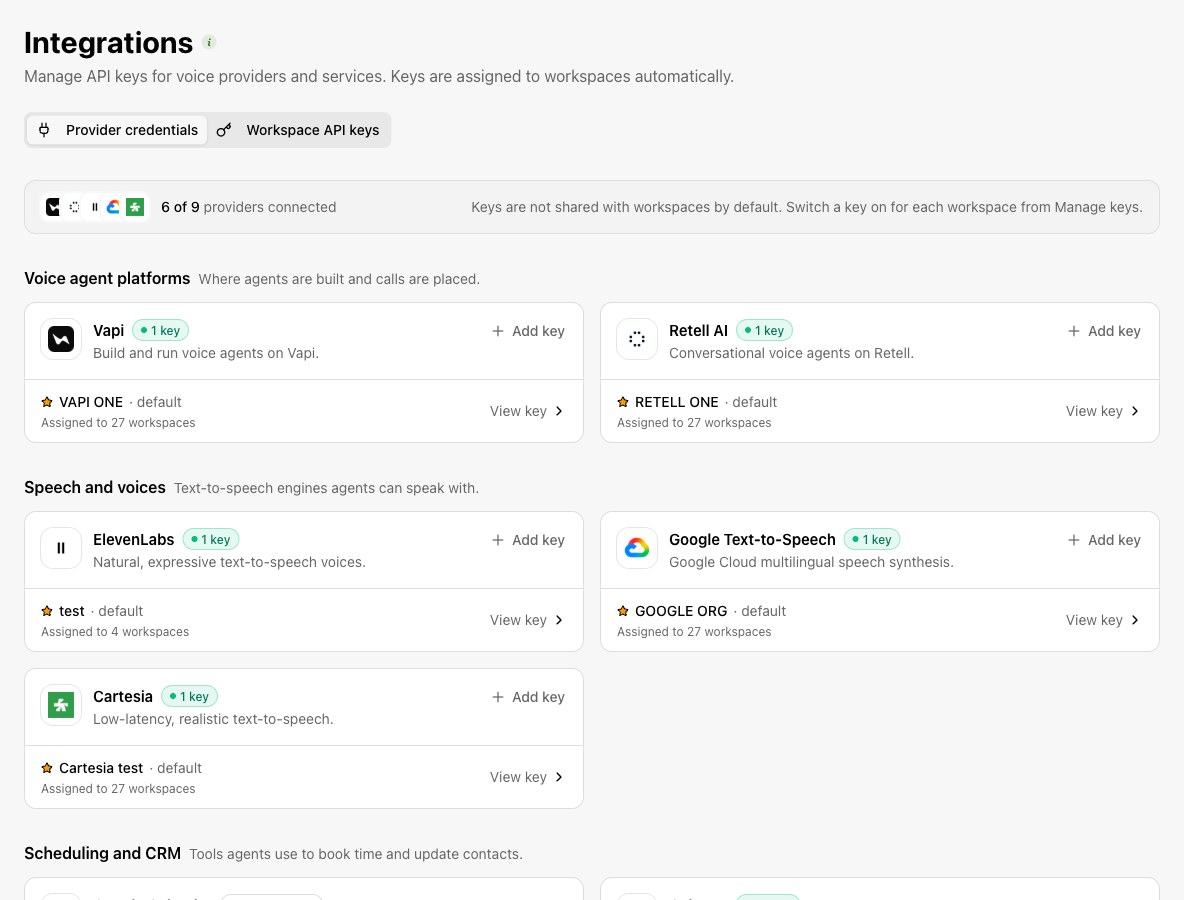
Choose the provider
Open its card in Integrations and follow the available connection flow. Use Add key to supply provider credentials, or complete the provider's sign-in flow.
Manage the keys
Select View key or View all keys on the provider card. Name and manage the relevant connection, and set a default when needed.
Enable workspace access
Switch the key on for the workspaces that need it. Keys are not shared with every workspace by default.
Check the workspace
Open the assigned workspace and confirm that the provider is available for its intended feature.
Platform-managed providers
| Provider status | Who supplies the connection | What you do |
|---|---|---|
| Managed | The platform supplies and maintains the credentials included in your assigned plan. | Use the provided service. Contact the platform team for credential changes; agency key controls are unavailable. |
| Not connected | Your organization supplies the provider account and credentials. | Add the connection or complete its sign-in flow, then assign workspace access. |
| Connected | Your organization already has a saved connection. | Open View key or View all keys to manage the connection and its workspace assignments. |
White-label service credentials
The White-label credentials section has entries for the cache database, Elk logging, and the telephony backend. Use the credentials supplied for your deployment. Saved values are not shown again; supply a replacement to update them.
The separate Workspace API keys tab concerns client API access. Those keys are different from the provider credentials used to run voice and calendar services.
Connections configured elsewhere
| Connection | Where to configure it | Purpose |
|---|---|---|
| Stripe Connect | Organization > Billing | Connect your agency's payment account for client billing. |
| SMTP email service | Organization > Email | Send invitations and notifications using your sender identity. |
| SIP trunks and phone numbers | Organization > Telephony | Configure carrier connections, numbers, and delegated telephony controls. |
If a provider is missing in a workspace, check both the connection and its workspace assignment. A connection at organization level does not grant access by itself.