

Set notification audiences
Choose event recipients
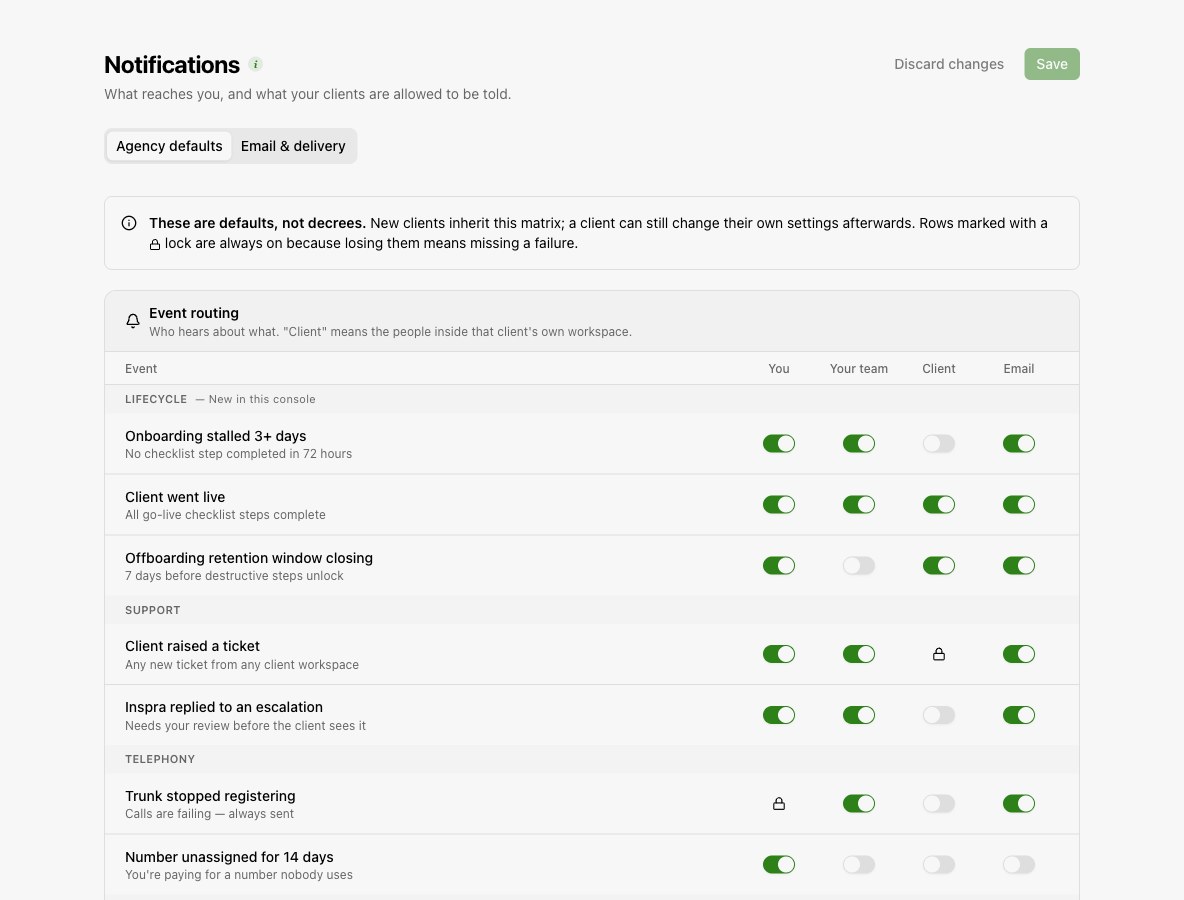
Open Organization > Notifications > Agency defaults. For each event, choose whether it reaches you, your team, and clients.
Configure email delivery
In Email & delivery, set the master notification email switch and the separate switches for you, your team, and clients.
Save your settings
Save the changes. In-app notifications remain available when notification email is disabled.
To change the sender and SMTP connection, use Email sender.
Understand the defaults
Agency defaults apply to new clients. Clients can later change their own settings where permitted. Locked switches represent required notifications and cannot be disabled.
Check notification delivery
If an expected email does not arrive, check the event's recipients, its email setting, the master email switch, and the relevant audience switch. Then check your SMTP connection. Use Support to work through a client issue or platform escalation.